
Choosing test sample sizes: Cut errors by 70% with sizing
Many marketers struggle to pick the right A/B test sample size without technical training. Choosing incorrectly leads to unreliable results or wastes traffic and time. This guide walks you through simple, scientifically grounded methods to confidently size your tests for better conversion outcomes. You'll learn to avoid common pitfalls and make smart decisions that maximize your testing budget and resources.
Table of Contents
- Understanding Test Sample Size And Its Importance
- Prerequisites: What You Need Before Choosing Sample Size
- Step-By-Step Sample Size Calculation Without Technical Jargon
- Common Mistakes And How To Avoid Them
- Expected Timelines And Outcomes Based On Sample Size And Traffic
- Alternative Approaches And Tradeoffs For Low Traffic Or Fast Tests
- Boost Your A/B Testing Success With Stellar's Tools
- Frequently Asked Questions About Choosing Test Sample Sizes
Key takeaways
| Point | Details |
|---|---|
| Correct sample size ensures valid, efficient A/B tests | Wrong sizing leads to false conclusions or wasted traffic resources. |
| Baseline conversion rate, MDE, significance, and power drive calculations | These four inputs guide how many visitors you need per variant. |
| Using online calculators reduces errors by up to 70% for non-technical users | Tools automate complex math and minimize mistakes. |
| Stopping tests early or ignoring traffic patterns are common errors | These mistakes inflate false positives and skew results. |
| Sequential testing and bandits offer alternatives for low-traffic sites | Adaptive methods can reduce sample needs by up to 25%. |
Understanding test sample size and its importance
Sample size refers to the number of visitors or conversions you need per variant to confidently detect meaningful differences in your A/B test. It's the foundation of test validity. Get it wrong, and your conclusions may mislead you.
Too small a sample increases both false positives (thinking a loser is a winner) and false negatives (missing real winners). Underpowered tests can have false positive rates exceeding 5% by up to 35%, meaning you risk launching changes that actually hurt conversions. On the flip side, excessively large samples waste time and traffic, delaying other valuable experiments.
Correct sizing balances confidence and efficiency. You want enough data to trust your results without tying up resources unnecessarily. This balance depends on your baseline performance, the size of lift you want to detect, and your tolerance for error.

When you understand the impact of sample size on A/B test results, you make smarter tradeoffs. You can plan realistic timelines, allocate traffic wisely, and achieve statistical significance in A/B testing without guesswork. The consequences of incorrect sizing include launching losing variants, missing winning opportunities, and burning budget on inconclusive tests.
Key risks of poor sample sizing:
- False positives leading to bad business decisions
- False negatives causing you to overlook real winners
- Extended test durations that delay learning and revenue
- Wasted traffic and opportunity costs from inefficient testing
Prerequisites: what you need before choosing sample size
Before calculating sample size, gather essential inputs. You can't pick a number without understanding your starting point and goals.
First, estimate your baseline conversion rate from existing analytics data. This rate is the percentage of visitors who currently complete your goal action. Average several weeks of data to smooth out short-term fluctuations.
Next, define your minimum detectable effect (MDE). This is the smallest improvement worth detecting, expressed as a percentage lift over baseline. Business value guides this choice. A 5% lift might be meaningful for high-volume sites, while smaller sites may need 10% or more to justify the effort.
Your significance level (alpha) sets your tolerance for false positives. Standard practice uses 5%, meaning you accept a 5% chance of incorrectly declaring a winner. Lower alpha requires larger samples but reduces risk. Understanding significance level and test tails helps you choose wisely.
Statistical power (usually 80%) represents your confidence in detecting real effects when they exist. Higher power catches more winners but demands more traffic.
Finally, know your average daily traffic per variant and any test duration constraints. These factors determine how long your test will run given your calculated sample size.
Essential inputs checklist:
- Baseline conversion rate from historical data
- Minimum detectable effect based on business goals
- Significance level (typically 5%)
- Statistical power (typically 80%)
- Daily traffic volume available for testing
- Access to reliable sample size calculator inputs
Pro Tip: Average your baseline conversion rate over at least two full business cycles to account for weekly and monthly patterns. A single week's data can mislead you if it captures unusual traffic or seasonal spikes.
Step-by-step sample size calculation without technical jargon
Calculating sample size becomes straightforward when you follow a clear process and use the right tools.
- Gather your baseline conversion rate and recent traffic data from analytics.
- Decide on your minimum detectable effect based on what lift would justify the effort and risk of changing your page.
- Set your significance level to 5% and power to 80% unless you have specific reasons to adjust these standards.
- Navigate to an online sample size calculator like Evan Miller's tool, which is free and trusted by thousands of marketers.
- Enter your baseline conversion rate, desired MDE, significance, and power into the calculator fields.
- Review the output showing how many visitors you need per variant to achieve your goals.
- Divide your daily traffic by the number of variants to estimate how many days the test will run.
- Plan to let the test run until you reach the calculated sample size, resisting the temptation to peek early.
Using sample size calculators eliminates manual formula errors. Using online calculators reduces sample size calculation errors by up to 70% for non-technical marketers compared to attempting manual calculations.
The calculator output tells you the minimum visitors per variant needed. Multiply by your number of variants to get total test traffic required. If you're testing control versus one variant, double the per-variant number.
Never stop your test before reaching the planned sample size, even if early results look promising. Early stopping destroys the statistical validity you worked to build. Non-technical A/B testing tools often include built-in calculators and automatic stopping rules to protect you from this mistake.
Pro Tip: Run your test for at least one full week regardless of sample size to capture daily traffic variations. Weekend behavior often differs from weekday patterns, and incomplete weeks can skew results.
Common mistakes and how to avoid them
Even with calculators, marketers make predictable errors that compromise test validity and waste resources.
Stopping tests early triples false positive risk compared to completing the required sample size. You might see a 10% lift after two days, but variance hasn't settled. What looks like a winner often regresses to no difference or even a loss with more data.
Ignoring variability in your baseline conversion rate skews estimates. If you use a single week's rate during a promotion, your sample size will be wrong for normal periods. Always average multiple weeks of typical performance.
Choosing samples that are too small underpowers your test. You might run a test, see no significant difference, and conclude the variant didn't work. In reality, you lacked the sample size to detect a real but modest improvement. This false negative costs you potential revenue.
Overlooking the impact of available traffic leads to unrealistic test durations. If your calculator says you need 50,000 visitors per variant but you only get 1,000 daily visitors total, your test will run 100 days. Plan accordingly or adjust your MDE.
Key mistakes to avoid:
- Stopping tests when results look good before hitting sample size targets
- Using unrepresentative baseline data from unusual periods
- Accepting underpowered tests that can't detect realistic lifts
- Failing to calculate test duration based on actual traffic volumes
Pro Tip: Set a calendar reminder for your planned test end date based on sample size and traffic. This prevents impulsive early decisions when you see exciting interim results. Understanding common A/B testing mistakes helps you design better experiments from the start.
Expected timelines and outcomes based on sample size and traffic
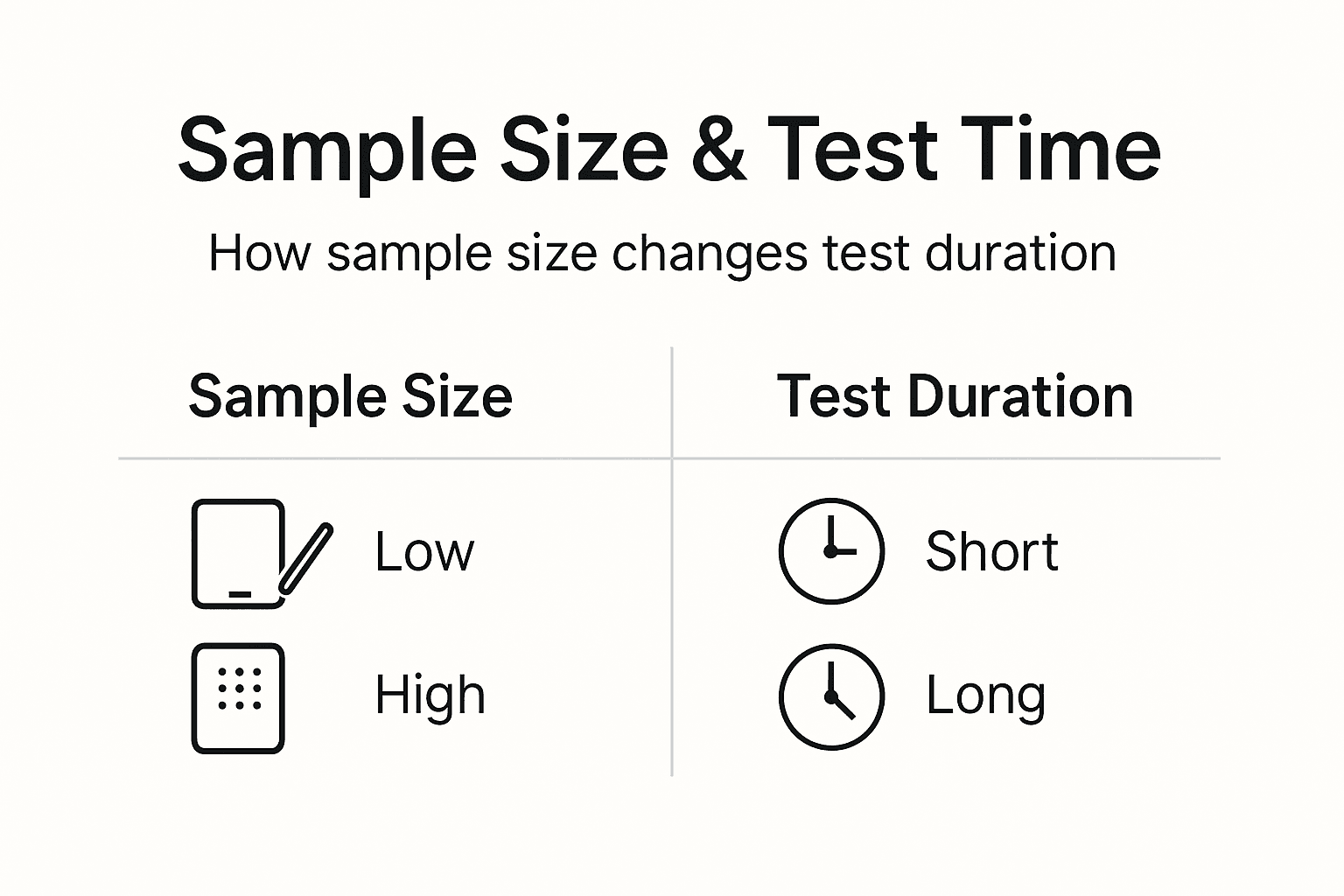
Sample size directly determines how long your test will run given your traffic volume. Understanding this relationship helps you set realistic expectations.
The math is simple. Divide your required sample size per variant by your daily visitors per variant. A test needing 10,000 visitors per variant with 500 daily visitors per variant runs 20 days. Double your variants, and you halve the traffic available to each, doubling duration.
Always run tests for at least seven days to cover a full weekly cycle. Traffic patterns shift between weekdays and weekends. Business sites often see different conversion rates on Mondays versus Fridays. Incomplete weeks introduce bias.
Higher daily traffic shortens required test time, letting you learn faster and iterate more experiments. Sites with 100,000 monthly visitors can complete robust tests in one to two weeks. Sites with 10,000 monthly visitors may need four to eight weeks for the same confidence levels.
Statistical power and significance don't change with time. They depend only on reaching your sample size target. A test achieves 80% power when you hit the calculated visitor count, whether that takes 10 days or 60 days.
| Daily Visitors per Variant | Sample Size Needed | Test Duration |
|---|---|---|
| 500 | 10,000 | 20 days |
| 1,000 | 10,000 | 10 days |
| 5,000 | 10,000 | 2 days (extend to 7 minimum) |
| 200 | 10,000 | 50 days |
Never stop before timing and sample size targets are both met. If your calculator says 15,000 visitors but you've only run five days, keep going even if you have 15,000 visitors. Seven-day minimums matter. Conversely, if you've run 14 days but only reached 12,000 of 15,000 needed visitors, continue until you hit the number.
Planning A/B test timelines and planning upfront prevents frustration and ensures you allocate resources appropriately across your testing roadmap.
Alternative approaches and tradeoffs for low traffic or fast tests
Fixed sample size testing is simple and reliable, but alternatives exist for special situations like limited traffic or urgent decisions.
Fixed sample size testing means you calculate your needed visitors upfront and run until you hit that number. It's straightforward, well understood, and minimizes statistical errors. The downside is inflexibility. You must wait for the full sample even if results are extremely clear early on.
Sequential testing uses adaptive sample sizes, letting you check results at predetermined intervals and stop early if you detect a strong effect. This approach can reduce required sample size by up to 25% when real lifts are large. The tradeoff is added complexity in design and higher risk of errors if not implemented carefully.
Multi-armed bandits dynamically allocate traffic to better-performing variants during the test. They maximize revenue during learning by sending more visitors to winners. Bandits work well for urgent decisions or continuous optimization, but they sacrifice some statistical rigor. You get speed and revenue optimization at the cost of precise measurement.
| Method | Accuracy | Speed | Complexity | Best For |
|---|---|---|---|---|
| Fixed sample size | High | Slow | Low | Standard A/B tests, clear decisions |
| Sequential testing | Medium-high | Medium | Medium | Moderate traffic, flexibility needed |
| Multi-armed bandits | Medium | Fast | High | Low traffic, revenue focus, continuous optimization |
Low-traffic SMBs should consider sequential methods or focus on larger MDEs that require smaller samples. Alternatively, extend test durations and accept longer learning cycles. Fast-paced environments might accept bandit tradeoffs to keep pace with business needs.
Choose your approach based on your traffic volume, risk tolerance, and decision urgency. Understanding alternative testing methods expands your toolkit beyond one-size-fits-all solutions.
Boost your A/B testing success with Stellar's tools
Applying sample size principles becomes effortless with the right platform. Stellar simplifies A/B testing for SMB marketers, removing technical barriers and letting you focus on growth.

Our no-code visual editor lets you create variants without developer support. Real-time analytics show you when tests reach significance. Built-in calculators guide your sample size decisions automatically. You get the power of enterprise testing with the simplicity your team needs.
Explore our guides on best practices and examples of A/B testing to see how top marketers drive conversions. Learn strategies in our A/B testing guide for landing pages to apply sample sizing to your highest-value pages. Discover how to implement everything you've learned with our A/B testing without developer support handbook.
Frequently asked questions about choosing test sample sizes
What is the difference between statistical power and significance?
Significance (alpha) controls your false positive rate, the chance of declaring a winner when there's no real difference. Power controls your false negative rate, the chance of missing a real winner. Standard practice uses 5% significance and 80% power, balancing both error types.
How does baseline conversion rate affect my sample size needs?
Lower baseline rates require larger sample sizes to detect the same percentage lift. A 1% baseline needs far more visitors than a 10% baseline to detect a 20% relative improvement. This happens because rare events need more observations to establish patterns reliably.
What should I do if my traffic varies significantly during the test?
Continue until you reach your calculated sample size and minimum duration. Traffic fluctuations are normal and part of why you need adequate samples. Stopping during a high or low traffic period introduces bias. Let the test run its full course to average out variations.
How do I know if my sample size was adequate after the test completes?
Check if you reached your planned visitor count and ran for the intended duration. Review your confidence intervals; narrow intervals suggest adequate sample size. If your test shows no significant difference but confidence intervals are wide, you likely needed more data to detect smaller effects.
Can I use different sample sizes for different variants?
Standard A/B testing assumes equal sample sizes across variants for valid comparisons. Unequal allocation is possible but requires adjustments to your calculations and analysis. For simplicity and validity, split traffic evenly unless you're using advanced methods like bandits.
Should I adjust my sample size for mobile versus desktop traffic?
If conversion rates differ substantially between devices, consider segmenting your tests. Calculate separate sample sizes for mobile and desktop based on each segment's baseline rate. This approach provides clearer insights but requires more total traffic and longer test durations.
Recommended
- Sample Size Calculators: How to Power Your CRO Success
- Sample Size in A/B Testing: Impact on Results
- The Sub-6KB Testing Revolution: Why Size Matters for CRO
- Test Duration Recommendations: Optimize Your Experiments
- How to Improve Conversion Rates A Proven Guide
- Derisk Startup Strategy: Cut Failure Risk by 40% with Proven Steps | siift
Published: 3/5/2026