
Form Optimization Strategies: Boosting Conversions Fast
Most American businesses miss out on significant profits because their web forms are not optimized for conversions. When you consider that as many as 67 percent of users abandon poorly designed forms, it becomes clear why optimizing forms is crucial for success. Whether you run an e-commerce shop or a service-based website, understanding the strategies behind effective form optimization can help you turn casual visitors into loyal customers while minimizing frustrations every step of the way.
Table of Contents
- Defining Form Optimization And Its Key Benefits
- Types Of Forms And Their Conversion Barriers
- Essential Elements Of High-Converting Forms
- Personalization And Dynamic Content Tactics
- A/B Testing Methods For Form Optimization
- Common Mistakes And How To Avoid Them
Key Takeaways
| Point | Details |
|---|---|
| Form Optimization | A strategic approach to enhance website forms, increasing user engagement and conversion rates. |
| Continuous Improvement | Form design should be an ongoing process, adapting based on user behavior and design trends. |
| Dynamic Content | Utilizing conditional fields can create personalized experiences, reducing cognitive load and boosting form completion. |
| A/B Testing | Regularly testing different form elements allows for data-driven decisions that enhance user experience and conversion rates. |
Defining Form Optimization and Its Key Benefits
Form optimization represents a strategic approach to transforming website interaction points into powerful conversion engines. At its core, form optimization involves systematically refining web forms to boost user engagement, minimize friction, and drive meaningful business outcomes. By carefully analyzing and redesigning form elements, businesses can transform what might otherwise be a mundane interaction into a smooth, user-friendly experience.
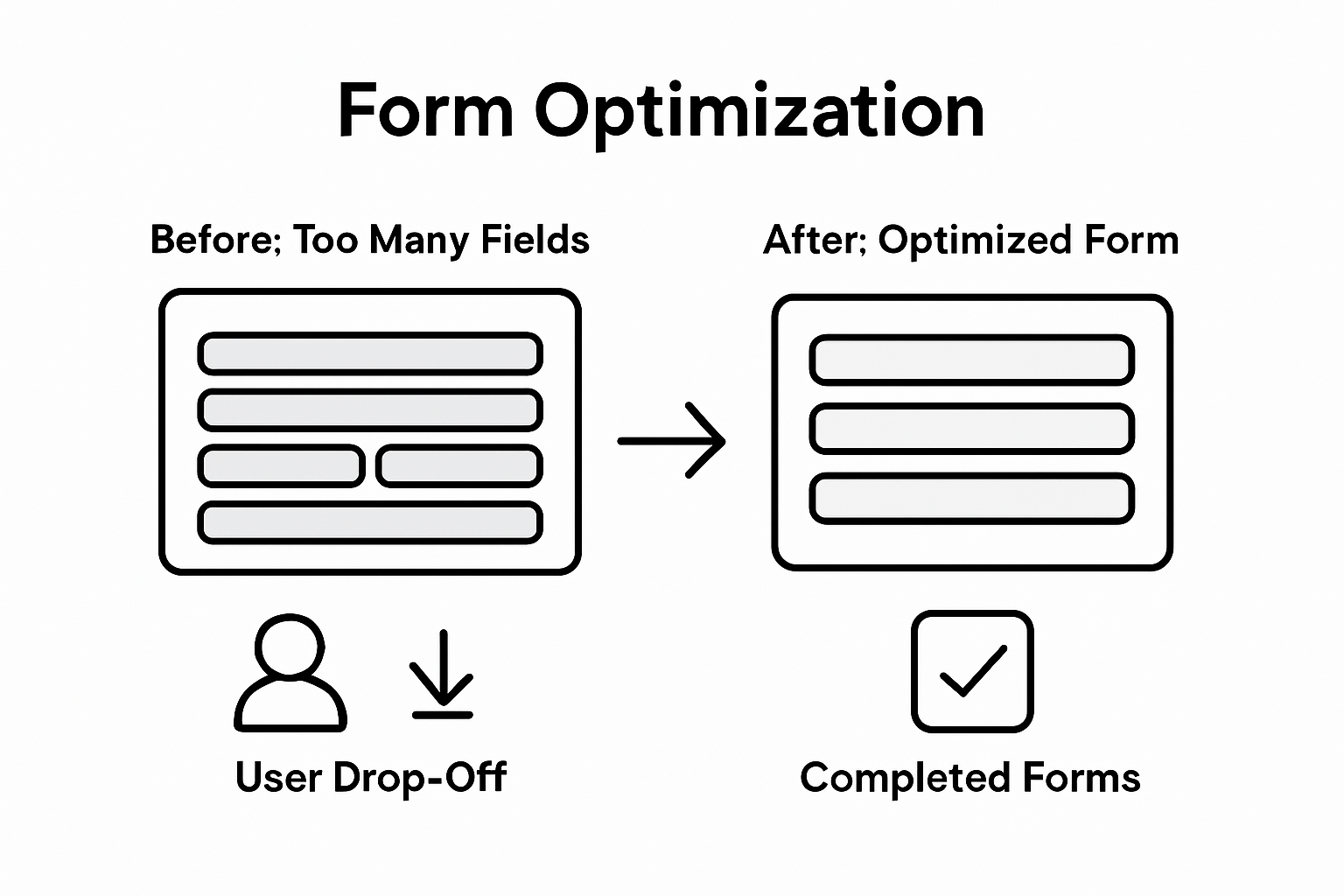
The key benefits of form optimization extend far beyond simple aesthetic improvements. Conversion rate enhancement stands as the primary objective, with optimized forms capable of dramatically reducing user abandonment. Research indicates that poorly designed forms can cause up to 67% of potential customers to exit before completing their intended action. By implementing strategic design principles such as reducing unnecessary fields, providing clear instructions, and creating mobile-responsive layouts, companies can see significant improvements in user completion rates.
Form optimization is not a one-time event but an ongoing process of continuous improvement. Businesses must approach form design as a dynamic challenge, consistently testing and refining based on user behavior and emerging design trends. This iterative approach allows organizations to adapt to changing user expectations, technological advancements, and shifting conversion strategies. Modern form optimization techniques incorporate advanced analytics, user experience research, and data-driven design principles to create increasingly sophisticated interaction models.
Pro Tip: Form Refinement Strategy: Conduct monthly form performance audits by tracking key metrics like completion rates, time spent, and drop-off points, using these insights to progressively simplify and streamline your form design for maximum user conversion.
Types of Forms and Their Conversion Barriers
Web forms represent critical touchpoints where potential customers either complete their journey or abandon their intentions. These digital interaction points range from simple contact forms and newsletter signups to complex multi-step registration processes and checkout workflows. Each form type presents unique challenges and psychological barriers that can significantly impact conversion rates.
Contact and signup forms typically encounter the most immediate conversion obstacles. Information density plays a crucial role in user engagement. Information overload can trigger psychological barriers that prevent website conversions, causing users to experience choice fatigue and decision paralysis. E-commerce checkout forms face additional complexity, with potential friction points including:
- Payment method selection
- Shipping information entry
- Account creation requirements
- Security verification steps
Lead generation and survey forms introduce another layer of conversion challenges. These forms often require more detailed user input, increasing the likelihood of abandonment. Professionals must carefully balance the need for comprehensive data collection with user experience principles. This means strategically reducing form fields, providing clear value propositions, and creating intuitive design flows that guide users smoothly through the completion process.
Pro Tip: Form Field Reduction Strategy: Audit your forms quarterly, removing at least one unnecessary field for each form type and tracking the resulting conversion rate changes to continuously optimize user experience.
Here's how common form types compare in terms of conversion challenges and optimization focus:
| Form Type | Main Conversion Barrier | Recommended Optimization Focus |
|---|---|---|
| Contact/Signup Forms | Information overload | Minimize required fields |
| E-commerce Checkout | Complex payment steps | Streamline and clarify process |
| Lead Generation Forms | Lengthy input requirements | Use progressive disclosure |
| Survey Forms | User fatigue | Offer progress indicators |
Essential Elements of High-Converting Forms
Creating high-converting forms requires a strategic approach that balances user experience with critical design principles. Innovative form layouts play a crucial role in reducing user friction, with techniques like two-column designs for related fields and progressive form structures helping to simplify complex information gathering processes. The visual and structural design of a form can significantly impact a user's willingness to complete their submission.
Key elements of successful form design include:
- Intuitive field placement
- Minimal required information
- Clear, concise instructions
- Mobile-responsive design
- Strategic use of visual cues
The psychology of form completion centers on reducing perceived effort and increasing user confidence. Effective conversion optimization involves careful A/B testing of critical elements, including call-to-action button colors, field ordering, and trust signals. Professionals should prioritize creating forms that feel effortless and trustworthy, strategically breaking down complex information collection into manageable steps. This approach helps overcome user hesitation and dramatically improves completion rates.

Advanced form design goes beyond simple aesthetics, incorporating psychological principles that guide user behavior. By implementing progressive disclosure, using clear microcopy, and providing immediate validation, businesses can create forms that feel more like a conversation and less like an interrogation. The goal is to make each interaction feel personalized, secure, and worth the user's time.
Pro Tip: Conversion Optimization Method: Implement a quarterly form audit process that systematically tests one key element at a time, tracking conversion rate changes and user feedback to continuously refine your form design strategy.
Personalization and Dynamic Content Tactics
Dynamic content represents a powerful strategy for transforming generic form experiences into highly targeted interactions. Conditional form fields enable a more personalized user journey, allowing businesses to adapt form complexity and relevance in real-time based on user responses. This approach dramatically reduces cognitive load and increases the likelihood of form completion by presenting only the most pertinent information to each individual user.
Personalization tactics can be categorized into several key strategies:
- Context-aware field display
- User segment-based form variations
- Adaptive form complexity
- Real-time response-triggered modifications
- Intelligent field ordering
Advanced conditional logic transforms form interactions by creating intelligent, responsive experiences that feel uniquely tailored to each user. By implementing smart form designs that dynamically adjust based on previous inputs, businesses can create more engaging and less intimidating interaction points. For instance, a job application form might show different additional fields depending on the selected job category, or a product inquiry form might modify questions based on initial product interest.
The technical implementation of personalization requires a sophisticated approach that balances data collection with user experience. Marketers must carefully map potential user paths, anticipate information needs, and design forms that feel intuitive rather than intrusive. This means creating smooth transitions between form sections, providing clear guidance, and using subtle visual cues that make complex forms feel simple and approachable.
Pro Tip: Dynamic Form Strategy: Develop a user journey map that identifies potential personalization triggers, then systematically implement and A/B test conditional logic to optimize form completion rates and user satisfaction.
A/B Testing Methods for Form Optimization
A/B testing serves as the cornerstone of data-driven form optimization, enabling marketers to make precise, informed decisions about design elements. Strategic testing of form variations can reveal critical insights into user behavior and conversion potential, transforming guesswork into measurable improvements. By systematically comparing different form configurations, businesses can uncover nuanced strategies that dramatically enhance user engagement and completion rates.
Key elements to test in form optimization include:
- Call-to-action (CTA) button design
- Form field layout and arrangement
- Color schemes and visual hierarchy
- Input field types and labels
- Form length and complexity
- Progress indicators
- Microcopy and instructional text
Experimental approaches like comparing single-page versus multi-part form designs can provide profound insights into user preferences. Sliding forms with progress indicators, for instance, can help break down complex information gathering processes, potentially reducing user friction and improving overall conversion rates. The goal is not just to test, but to understand the psychological triggers that motivate users to complete forms.

Successful A/B testing requires a methodical approach that goes beyond simple visual comparisons. Marketers must establish clear hypotheses, ensure statistically significant sample sizes, and carefully track key performance indicators like completion rates, time spent, and drop-off points. Advanced testing strategies might involve multivariate testing, which allows simultaneous evaluation of multiple form elements, providing a more comprehensive understanding of user interaction dynamics.
Pro Tip: Testing Precision Method: Implement a systematic A/B testing protocol that tests one variable at a time, maintains consistent traffic distribution, and uses robust statistical analysis to validate results before making permanent form modifications.
Compare the impact of key A/B testing variables in form optimization:
| Variable Tested | Potential Impact on Conversion | Suggested Measurement Approach |
|---|---|---|
| CTA Button Color | Increases engagement rate | Track click and submission rate |
| Field Arrangement | Influences completion order | Measure time to complete form |
| Progress Indicators | Reduces abandonment | Monitor drop-off between steps |
| Microcopy Updates | Boosts user confidence | Gather qualitative user feedback |
Common Mistakes and How to Avoid Them
Form optimization requires a strategic approach to avoiding common pitfalls that can dramatically reduce conversion rates. Minimizing unnecessary form fields is crucial for maintaining user engagement, as each additional field represents a potential barrier to completion. Many businesses unknowingly create complex forms that overwhelm and frustrate potential customers, ultimately driving them away from converting.
Key conversion-killing mistakes to avoid include:
- Excessive form fields
- Complex dropdown menus
- Mandatory non-essential information
- Unclear instructions
- Poor mobile responsiveness
- Lack of visual hierarchy
- Complicated validation processes
Implementing user-friendly features that support form completion can significantly reduce abandonment rates, particularly for longer or more complex forms. Techniques like progress saving, clear error messaging, and inline validation help users feel supported throughout the form-filling process. Attention spans are shorter than ever, so creating a seamless, intuitive experience is paramount to maintaining user interest and encouraging form submission.
Psychological barriers play a significant role in form abandonment. Users are more likely to complete forms that feel simple, secure, and immediately valuable. This means strategically designing forms that minimize cognitive load, provide clear value propositions, and remove any potential friction points that might cause hesitation. Context matters immensely - what works for one industry or user segment might fail dramatically for another.
Pro Tip: Conversion Reduction Method: Conduct a quarterly form audit that ruthlessly eliminates unnecessary fields, simplifies instructions, and implements user-friendly design principles to systematically improve form completion rates.
Unlock Higher Conversion Rates with Stellar’s Powerful A/B Testing Platform
The article highlights how form optimization is essential to reducing user friction and boosting conversion rates through careful testing and personalization. If you are overwhelmed by complex forms, uncertain which elements to test, or need a fast way to validate improvements like CTA button colors, field layouts, and progressive disclosure, Stellar is here to help you take action quickly and effectively. With pain points like user hesitation, form abandonment, and lack of real-time insights, marketers need a solution designed to simplify experimentation without slowing down their websites.

Experience the fastest and easiest way to optimize your forms and other conversion elements with Stellar’s A/B Testing Tool. Our no-code Visual Editor enables you to launch experiments in minutes enhancing your capacity to identify winning form designs. Combine this with Advanced Goal Tracking and real-time analytics to continuously improve your form completion rates and outsmart the common barriers discussed. Start optimizing smarter today and see how fast, flexible testing can transform your marketing results at https://gostellar.app.
Frequently Asked Questions
What is form optimization and why is it important?
Form optimization is the process of systematically refining web forms to improve user engagement and boost conversion rates. It helps minimize user friction, reduces abandonment rates, and ultimately drives meaningful business outcomes by transforming mundane interactions into smooth experiences.
What are some common barriers to conversion in web forms?
Common barriers include excessive form fields, complex dropdown menus, unclear instructions, poor mobile responsiveness, and complicated validation processes. These factors can overwhelm users and prevent them from completing forms, leading to high abandonment rates.
How can I enhance the user experience with my forms?
To enhance user experience, focus on minimizing the required fields, providing clear and concise instructions, utilizing a mobile-responsive design, and implementing progress indicators. These strategies help reduce cognitive load and make the form-filling process feel effortless for users.
What role does A/B testing play in form optimization?
A/B testing is crucial for data-driven form optimization as it allows marketers to compare different form variations and identify which elements improve conversion rates. By testing various elements like CTA button design and field arrangement, businesses can gain insights into user preferences and make informed design decisions.
Recommended
Published: 12/16/2025