
How Bounce Rate Impacts Website Success: The SMB Guide
TL;DR:
- Bounce rate indicates how many visitors leave after viewing only one page, but context matters.
- It impacts SEO indirectly through engagement signals like dwell time and pogo-sticking.
- High bounce rates on content or contact pages are often natural, not necessarily problematic.
Bounce rate is one of the most watched numbers in web analytics, yet it's also one of the most misunderstood. Many marketers treat a rising bounce rate like a red alert, cutting budgets, rebuilding pages, and sounding alarms across the team. But the reality is more nuanced. Bounce rate is not a direct ranking factor, yet it carries real weight through the user experience signals it reveals. For SMBs especially, where every page visit counts and resources are limited, knowing exactly what bounce rate means and what to actually do about it can be the difference between chasing vanity metrics and driving real growth.
Table of Contents
- What bounce rate really means
- How bounce rate impacts SEO and conversions
- Main causes of high bounce rates for SMB websites
- When a high bounce rate is not a problem
- Why SMBs should rethink bounce rate obsession
- Take your website performance further
- Frequently asked questions
Key Takeaways
| Point | Details |
|---|---|
| Bounce rate’s real role | Bounce rate isn’t a direct ranking factor but signals important user experience issues. |
| Focus on engagement | Engagement rate and conversions provide more actionable insights than raw bounce rate alone. |
| Context matters | High bounce rates can be normal for certain pages, so always consider content and user intent. |
| Address core issues | Slow loading, poor mobile UX, and content mismatch are the main drivers of unwanted bounce. |
What bounce rate really means
Bounce rate measures the percentage of visitors who land on your website and leave without interacting further. No clicking to another page. No form submissions. No video plays. Just one page, then gone. That's it.
Simple enough on the surface, but the interpretation gets complicated fast. A 70% bounce rate on a contact page packed with a phone number and address might actually mean your site is working perfectly. Visitors found what they needed and picked up the phone. A 70% bounce rate on a SaaS pricing page, on the other hand, is a real problem worth investigating.
Industry benchmarks put this in perspective. Bounce rates vary widely by sector: ecommerce typically sits between 20% and 45%, SaaS and B2B sites land in the 30% to 55% range, while blogs can hit 70% to 90% and still be operating well. The overall average across all site types hovers around 55%. Knowing your industry baseline matters far more than chasing an arbitrary "good" number.
Here's how common site categories compare:
| Site type | Typical bounce rate range |
|---|---|
| Ecommerce | 20% to 45% |
| SaaS | 35% to 55% |
| B2B services | 30% to 55% |
| Blogs and content | 70% to 90% |
| Landing pages | 60% to 90% |
"A bounce isn't a failure. It becomes a problem only when it signals that visitors didn't get what they came for."
Bounce rate also doesn't exist in isolation. Think of it as one chapter in a longer story. You also need to look at growth metrics for SMBs like session duration, pages per session, and goal completions to get the full picture. Bounce rate can alert you to a potential issue, but it rarely explains the cause on its own.
Some important myths worth dropping right now:
- Myth: A low bounce rate is always good. Not true. Users who click around without converting are still costing you money.
- Myth: Bounce rate is a Google ranking signal. Not a direct factor, even though Google's search quality evaluators absolutely care about user satisfaction.
- Myth: All pages should have similar bounce rates. Page purpose determines the expected rate. Don't compare a blog post to a product page.
Understanding these distinctions helps you stop reacting to the number and start asking the right questions. Pair your bounce analysis with conversion rate benchmarks for your industry to set realistic improvement targets that actually connect to revenue.
How bounce rate impacts SEO and conversions
With a clear understanding of bounce rate, let's see how it really affects your search visibility and bottom line.
Google officially states that bounce rate is not part of its ranking algorithm. Yet ignoring it entirely would be a mistake. Here's why: the behaviors that cause a high bounce rate, like visitors returning immediately to the search results page (called pogo-sticking), short session durations, and low engagement, absolutely do feed signals that Google uses to evaluate page quality.
Think of it this way. If ten people search "best CRM for small businesses," click your page, and all ten bounce back to Google within eight seconds, that tells Google something is off. Your page either didn't match what they expected or it failed to deliver value fast enough. Over time, that pattern can push your rankings down without bounce rate itself ever being the direct cause.

The indirect connection between bounce and SEO runs through three key signals: dwell time, engagement rate, and pogo-sticking. Dwell time is how long someone spends on your page before returning to search results. Engagement rate, a metric GA4 now prioritizes, measures the percentage of sessions where the user spent at least 10 seconds, completed a conversion, or visited multiple pages. These are the numbers worth optimizing now.
Comparison: Old vs. new way to think about performance metrics
| Old metric focus | New metric focus |
|---|---|
| Bounce rate | Engagement rate (GA4) |
| Pageviews | Goal completions |
| Session duration | Scroll depth and interactions |
| Traffic volume | Qualified traffic quality |
Some marketers, including Neil Patel, categorize bounce rate as a vanity metric. The argument is sound: a number that drops when you add an autoplay video or a pop-up chat widget isn't measuring genuine engagement. What matters is whether visitors are converting, subscribing, or taking meaningful steps toward becoming customers.
Pro Tip: Switch your primary reporting in GA4 from bounce rate to engagement rate. GA4 defines an engaged session as one lasting more than 10 seconds, viewing at least two pages, or completing a conversion. This gives you a far more accurate read on whether users are actually getting value from your site.
For SMBs, the conversion connection is where bounce rate truly earns its place in reporting. If your product page has a 65% bounce rate and a 0.8% conversion rate, fixing the bounce rate directly helps boosting site conversions. Every percentage point drop in bounce on a high-intent page represents real revenue potential recovered.
Main causes of high bounce rates for SMB websites
Understanding impact is crucial, but solving the root causes matters most. Here's what often drives high bounce rates for SMBs.
Most SMB websites share a predictable set of issues that push visitors away before they've had a chance to engage. The good news is that these causes are diagnosable and fixable without a full redesign.
Here are the most common culprits, ranked by how frequently they appear and how severely they impact bounce rates:
-
Slow page load times. This is consistently the biggest offender. Load times above 3 seconds increase bounce probability by 32%. Push that to 5 seconds and you're looking at a 90% increase in bounce likelihood. Visitors are impatient. If your page doesn't respond fast, they leave.
-
Poor mobile experience. More than half of web traffic now comes from mobile devices, yet many SMB websites still serve a scaled-down desktop experience. Tiny text, broken layouts, and buttons too small to tap accurately send mobile users straight back to their search results.
-
Content that doesn't match search intent. A user searching "how to reduce payroll costs" who lands on a generic HR software homepage feels misled. When the content doesn't match what the visitor expected based on their search query, they leave instantly and they're right to.
-
Weak or missing calls to action. Even if your content is solid, visitors need direction. Without a clear CTA, most users read and exit because there's nothing obvious telling them what to do next.
-
Cluttered or confusing design. Too many competing elements, aggressive pop-ups within the first three seconds, or navigation that's hard to follow all erode confidence and push users away.
A practical example: an SMB running an ecommerce site noticed their product category pages had bounce rates around 78%. After diagnosing the issue, they found load times averaging 5.2 seconds on mobile. After image compression and implementing lazy loading, they dropped load times to 2.1 seconds. Bounce rate on those pages fell to 49% within six weeks. No redesign needed.
Pro Tip: Start your bounce rate diagnostics with Google PageSpeed Insights and your mobile usability report in Google Search Console. Fix what's broken there before touching your content or design. Speed and mobile issues account for the majority of avoidable bounces for most SMB sites.
Avoiding common landing page mistakes also plays a significant role here. Poor headline clarity, irrelevant hero images, and missing social proof all contribute to high early-exit rates on pages where you most need engagement. For product-focused pages especially, studying conversion tips for e-commerce reveals how performance and design decisions compound each other. A fast page with a weak headline still bounces. A beautiful page that loads in six seconds bounces even harder.
When a high bounce rate is not a problem
Of course, not every bounce is a disaster. Let's look at when a high bounce rate is perfectly fine.
Context is everything in analytics. Treating bounce rate as a universal threat leads to misguided decisions. There are entire categories of pages and websites where a high bounce rate signals success, not failure.
Consider these scenarios where high bounce is expected and acceptable:
- Blog posts and knowledge base articles. A reader searches for "how to calculate customer lifetime value," lands on your article, reads it fully, and leaves. That's a success. They got the answer. They may come back later as a warm lead.
- Contact pages. Someone bounces after finding your phone number or address because they picked up the phone. The bounce was the conversion.
- Location or hours pages. A local business that answers "are you open Sunday?" with a bounce is doing exactly what the visitor needed.
- Single-answer FAQ pages. If the page exists to answer one question, a bounce after reading confirms the page worked.
"High bounce rates on single-purpose pages can be a feature, not a bug. The real question is whether the user accomplished their goal, not whether they clicked to a second page."
GA4's engagement rate is actually a better metric here. Engagement rate is essentially the inverse of bounce rate, but with smarter criteria. A session counts as engaged if the user spent at least 10 seconds on the page, which means a thorough blog reader who bounces would often still register as an engaged session. This is a much more honest measurement for content-heavy SMB sites.
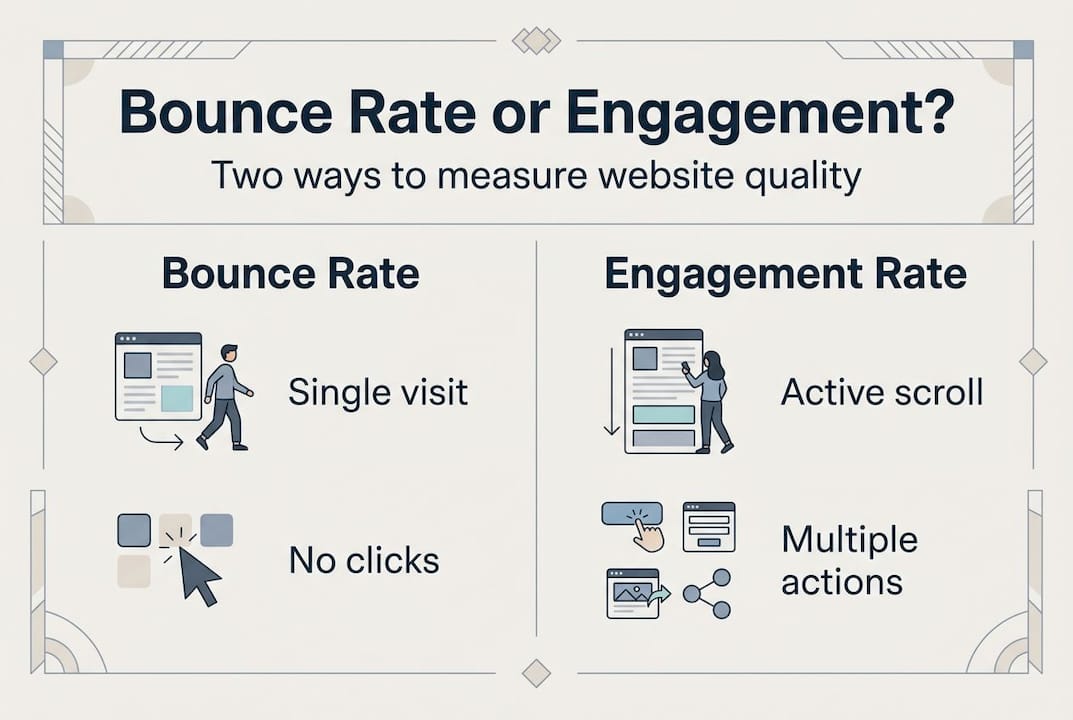
The practical takeaway: before declaring a bounce rate "too high," ask what the page is designed to do. Use page-level analysis rather than site-wide averages. If your overall bounce rate is 72% but that's driven primarily by your blog and FAQ content, your commercial pages may be performing just fine. Segment your data by page type, traffic source, and device to see where actual problems live. You'll find far fewer emergencies than the headline number suggests, and you'll know exactly where to focus your energy when real issues exist.
Reviewing dedicated bounce rate reduction tips helps you build a shortlist of page-specific actions rather than blanket changes that ignore context.
Why SMBs should rethink bounce rate obsession
Here's the uncomfortable truth we've seen play out repeatedly in SMB testing: obsessing over bounce rate often leads marketers to optimize for the wrong thing. Teams add sticky headers, autoplay videos, and exit-intent pop-ups, all of which technically lower bounce rate while simultaneously frustrating users and tanking conversions.
Bounce rate is a signal, not a goal. Treating it as a destination puts you at risk of gaming the metric instead of improving the actual experience. The SMBs that consistently grow their revenue from web traffic focus on two things: does the visitor accomplish something meaningful, and does that action move them closer to becoming a customer?
A/B testing is the clearest path from signal to insight. When you test two versions of a landing page and compare engagement rate and conversion rate alongside bounce rate, you get data that connects visitor behavior to business outcomes. Funnel optimization strategies built on that kind of evidence consistently outperform intuition-driven redesigns. Stop chasing the number. Chase what the number represents.
Take your website performance further
If you've been watching your bounce rate without a clear testing plan, you're leaving real performance gains on the table. The insights in this guide give you the framework. What you need next is the ability to act on them quickly.

Stellar makes it straightforward to run A/B tests on the exact pages driving your highest bounce rates. With a no-code visual editor, a 5.4KB script that won't slow your site down, and real-time analytics showing engagement alongside conversions, you can start testing changes today without needing a developer. Whether you want to test a new headline, rearrange your CTA placement, or try a different content layout, Stellar gives you the data to make confident decisions. Explore the free plan at gostellar.app and start turning bounce rate insights into measurable wins.
Frequently asked questions
What is considered a good bounce rate for SMB websites?
A good bounce rate for SMBs usually falls between 20% and 55%, depending on the industry and page type. Ecommerce typically runs 20 to 45%, while SaaS and B2B sites usually land in the 30 to 55% range.
Does a high bounce rate hurt my Google rankings?
A high bounce rate does not directly hurt your Google rankings, but it can signal a poor user experience that indirectly affects SEO through engagement signals like dwell time and pogo-sticking.
What are the fastest ways to reduce my site's bounce rate?
Improve load speed, ensure your content matches searcher intent, and optimize for mobile users to see quick results. Load times above 3 seconds alone increase bounce probability by 32%, making speed the highest-priority fix.
Should I worry about bounce rate on my blog?
Not always. Blogs and Q&A pages naturally run higher because readers often find what they need and leave satisfied. GA4's engagement rate is a better measure for content-heavy pages since it accounts for time spent reading.
Recommended
Published: 4/27/2026