
Shopify A/B Test: A Practical 2026 Guide for Merchants
TL;DR:
- Shopify's native Rollouts feature allows merchants to split traffic between themes and checkout options without extra cost. Effective testing requires sufficient traffic, a clear hypothesis, and manual significance calculations, especially on lower-tier plans. Proper discipline and waiting for full business cycles lead to more accurate results and ongoing conversion improvements.
Shopify A/B testing is defined as running two or more versions of a store page or checkout simultaneously to measure which version converts better. Shopify's native Rollouts feature launched expanded capabilities in june 2026, letting merchants split traffic between theme variants and checkout configurations without paying for a third-party app. The terms "A/B testing" and "split testing" are used interchangeably in Shopify marketing, but both methods share one rule: variants must run simultaneously to control external variables. For store owners who want to lift conversion rates without guesswork, Rollouts is the fastest starting point available inside Shopify admin today.
What is a Shopify A/B test and what can Rollouts do?
Shopify Rollouts is a built-in traffic-splitting tool that lets merchants test themes, checkout configurations, and customer account layouts against a live control. No extra app is required, and no additional fee applies. The feature supports percentage-based traffic allocation, scheduling, and a reporting dashboard that shows conversion rate and revenue per variant.

Full traffic-split control is available on Shopify Advanced, Plus, and Grow plans. Merchants on Basic or standard Shopify plans get theme scheduling but cannot split live traffic between variants. That distinction matters before you invest time building a test.
One technical detail worth knowing: Rollouts uses a forked theme approach. The variant copies non-edited elements from the live theme rather than cloning the entire codebase. Complex custom sections may behave unexpectedly in the variant, so always preview the forked theme before launching traffic to it.
What you need before running your first split test on Shopify
Preparation separates a clean test from a wasted week of data. Before touching Rollouts, confirm these four prerequisites.
- The right Shopify plan. Advanced, Plus, or Grow plans unlock traffic splitting. If you are on a lower tier, the manual method of duplicating a theme and swapping it on a schedule is an option, but it introduces bias and lacks visitor-level randomization.
- Enough traffic. Reliable results require at least 1,000 visitors per variant and roughly 100 unique daily visitors to the page being tested. Below that threshold, random fluctuations will dominate your data.
- A documented hypothesis. Write down what you are changing, why you expect it to lift conversions, and what metric proves success. A hypothesis like "Moving the Add to Cart button above the fold will increase add-to-cart rate by 10%" is testable. "Let's try a new layout" is not.
- A baseline conversion rate. Pull 30 days of historical data from Shopify Analytics before starting. That number is your benchmark.
Tools like Microsoft Clarity help generate hypotheses by showing session recordings and heatmaps. Watching where shoppers drop off on your product page often reveals the single change most worth testing.
Pro Tip: Use a free statistical significance calculator such as the one from AB Testguide before you start. Enter your current conversion rate and daily traffic to estimate how many days your test needs to run before results are trustworthy.
Because Shopify Rollouts does not calculate statistical significance automatically, you must handle that step yourself. Skipping it is the most common reason merchants promote a losing variant.
How to set up and run a Shopify Rollout step by step
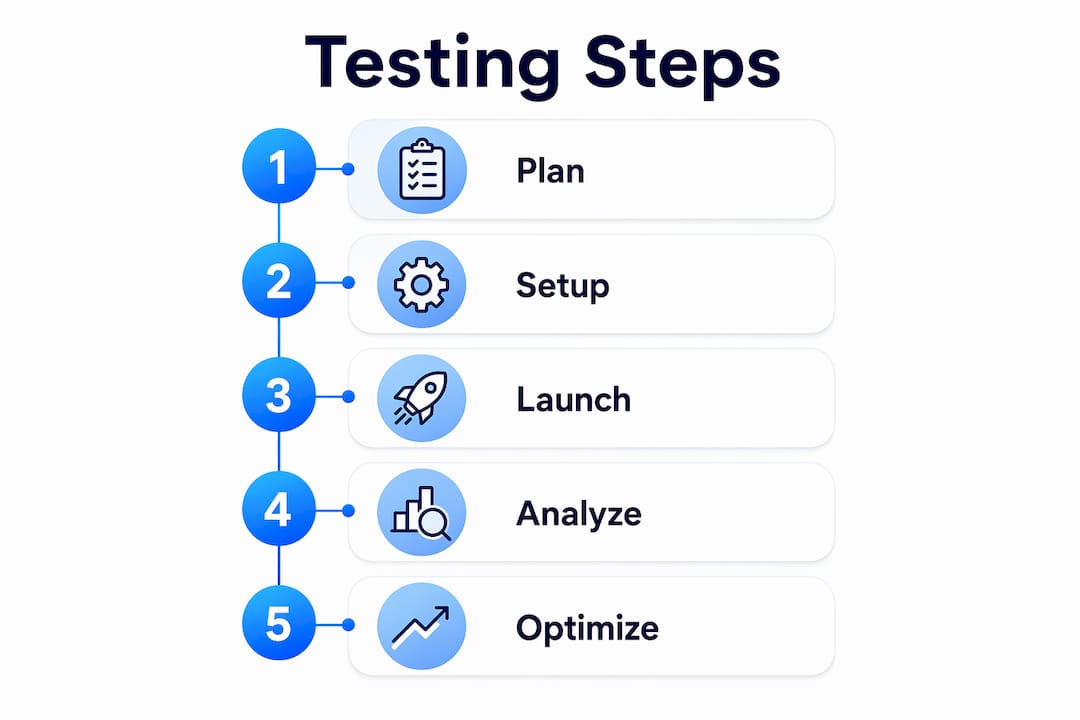
The setup process takes under 30 minutes once your hypothesis and baseline data are ready.
- Access Rollouts. In your Shopify admin, go to Online Store > Themes or Markets > Rollouts. The entry point varies slightly by plan.
- Create a variant. Duplicate your live theme or checkout configuration. Give the duplicate a clear name that reflects the change, such as "PDP Hero Image Test."
- Edit the variant only. Make your single change inside the duplicate. Do not touch the live theme during the test period.
- Set traffic allocation. Start with a progressive rollout at 10% to the variant. If no technical issues appear after 24 hours, increase to 25% or 50%. A 50/50 split reaches statistical significance fastest.
- Schedule start and end dates. Aim for a 7–14 day window. Shorter tests miss weekly shopping cycles. Longer tests risk contamination from external events like sales or holidays.
- Monitor the dashboard daily. Check conversion rate, revenue per visitor, and add-to-cart rate. Do not act on early data. Fluctuations in the first two days are normal.
- Document everything. Record your hypothesis, start date, traffic split, and daily metrics in a shared spreadsheet. This log becomes your testing library over time.
Pro Tip: Launch tests on a Tuesday or Wednesday. Weekend traffic often behaves differently from weekday traffic, and starting mid-week gives you a cleaner first full cycle before the weekend skews early numbers.
The progressive rollout strategy is especially useful for major redesigns. Catching a broken mobile layout when only 10% of visitors see it costs far less than discovering it after a full 50/50 split.
Common mistakes that kill Shopify A/B test accuracy
Most failed tests share the same handful of errors. Knowing them in advance saves weeks of wasted traffic.
- Calling a winner too early. Merchants often stop tests after seeing a 20% lift on day three. Random fluctuations routinely produce that kind of early swing. Premature conclusions are the leading cause of performance drift after a "winning" variant goes live.
- Testing multiple changes at once. If you change the hero image, the CTA color, and the product description simultaneously, you cannot know which change drove the result. Test one variable per experiment.
- Ignoring the business cycle. The "one business cycle rule" requires tests to run for at least one full week, ideally two, to capture the full range of shopper behavior across weekdays and weekends.
- Prioritizing trivial changes. Button color tests rarely move the needle. High-impact tests on product page layout, homepage hero images, and checkout upsells consistently produce the largest conversion lifts.
- Expecting Rollouts to do everything. Native Rollouts handles theme swaps and checkout configs well. It does not support audience segmentation, pricing experiments, or multivariate tests. For those use cases, third-party tools fill the gap.
Running a test for less than seven days is not a shortcut. It is a way to collect data you cannot trust. The weekly shopping cycle is real, and a test that misses it will produce a winner that underperforms in the real world. Patience is the cheapest conversion rate optimization tactic available.
Pair Rollouts with a solid understanding of A/B testing best practices to avoid these traps before they cost you revenue.
How to read your Shopify split test results and decide what to do next
Results interpretation is where most merchants lose confidence. The Rollouts dashboard shows four metrics worth tracking: conversion rate, revenue per visitor, bounce rate, and add-to-cart rate. Each tells a different part of the story.
Conversion rate is the primary metric for most tests. Revenue per visitor matters more when you are testing upsells or bundle offers, because a variant can convert fewer visitors but generate more money per order. Bounce rate signals whether the variant is confusing or slow. Add-to-cart rate isolates purchase intent from checkout friction.
Once your test reaches the minimum traffic threshold, run the numbers through a free external significance calculator. Enter the visitor count and conversion count for both control and variant. A 95% confidence level is the standard threshold before declaring a winner. Anything below that means the result could be noise.
| Metric | What it tells you | When to act |
|---|---|---|
| Conversion rate | Overall variant performance | Promote variant at 95% confidence |
| Revenue per visitor | Monetary impact of the change | Use when testing upsells or pricing |
| Add-to-cart rate | Purchase intent before checkout | Useful for product page tests |
| Bounce rate | Visitor engagement with the variant | Investigate if variant bounce is higher |
Pro Tip: Document every test result, including the ones where the variant lost. A losing result tells you what your shoppers do not want, which is just as valuable as knowing what they do want.
After a clear winner emerges, promote the variant to 100% of traffic. Then archive the test record and start building the next hypothesis. Merchants who treat Shopify optimization as an ongoing program rather than a one-time project see compounding gains over time. As your store grows and your tests become more complex, reviewing advanced Shopify A/B testing tools becomes a natural next step. Shopify's SEO and conversion ecosystem also rewards stores that continuously test and refine their pages.
Key Takeaways
Disciplined Shopify A/B testing using Rollouts requires the right plan tier, sufficient traffic, a single variable per test, and manual significance calculation before any winner is declared.
| Point | Details |
|---|---|
| Plan requirements matter | Traffic splitting requires Shopify Advanced, Plus, or Grow. Basic plans only support scheduling. |
| Traffic minimums are non-negotiable | Run at least 1,000 visitors per variant before reading results. |
| Test one change at a time | Isolating variables is the only way to know what actually drove the result. |
| Calculate significance manually | Shopify Rollouts shows metrics but not p-values. Use a free external calculator at 95% confidence. |
| Prioritize high-impact tests | Product page layout, hero images, and checkout upsells outperform trivial UI tweaks every time. |
What I have learned from watching merchants use Rollouts
The merchants who get the most from Shopify's native testing are not the ones with the most traffic. They are the ones with the most discipline. I have watched store owners with 500 daily visitors outperform competitors with 5,000 daily visitors simply because they tested one thing at a time, waited for full business cycles, and documented every result.
The biggest mistake I see is treating Rollouts as a shortcut to certainty. The dashboard looks authoritative, but without a significance calculation, a 15% lift on day four is just a number. Merchants who skip that step end up promoting variants that revert to baseline within a month, then wonder why their conversion rate is flat.
My honest recommendation: start with your product detail page. That is where purchase decisions happen. A single well-designed test on your hero image or CTA placement will teach you more about your shoppers than a dozen button color experiments. Once you have run three or four clean tests and built a results log, you will have enough data to justify investing in a more capable tool for segmentation and multivariate work.
Native Rollouts is not a limitation. It is a training ground. Use it to build the habit before you buy the horsepower.
— Juan
Gostellar makes Shopify testing faster and more reliable
Running split tests inside Shopify Rollouts is a strong start. Scaling that practice into a repeatable conversion program requires better analytics, faster setup, and goal tracking that goes beyond what the native dashboard offers.

Gostellar is built for exactly that next step. Its no-code visual editor lets you build and launch variants without a developer. Its 5.4KB script adds no meaningful load time to your store, which matters because page speed directly affects conversion rate. Real-time analytics surface results as they happen, so you spend less time waiting and more time deciding. Gostellar's Shopify A/B testing plan includes a free tier for stores under 25,000 monthly tracked users, making it accessible before you hit the traffic levels that justify enterprise pricing.
FAQ
Does Shopify have a built-in A/B testing feature?
Yes. Shopify's Rollouts feature supports traffic splitting between theme and checkout variants without a third-party app. Full traffic-split control requires an Advanced, Plus, or Grow plan.
How long should a Shopify split test run?
Run tests for a minimum of seven days, and ideally 14, to capture a full weekly shopping cycle. Shorter tests produce biased data because weekday and weekend shopper behavior differ significantly.
How do I know if my Shopify A/B test results are statistically significant?
Shopify Rollouts does not calculate statistical significance. Use a free external calculator, enter visitor and conversion counts for each variant, and look for at least 95% confidence before declaring a winner.
What should I test first on my Shopify store?
Start with high-impact pages and elements: product detail page layout, homepage hero images, and checkout upsell placement. These tests consistently produce larger conversion lifts than minor UI changes like button color.
When should I use a third-party tool instead of Shopify Rollouts?
Use a third-party tool when you need audience segmentation, pricing experiments, or multivariate testing. Native Rollouts handles theme and checkout variants well but does not support those more complex experiment types.
Recommended
Published: 7/16/2026