
How to test checkout forms for higher conversion in 2026
Testing checkout forms often feels like navigating a maze without a map. You know your conversion rate could be better, but pinpointing what to change and how to test it without a developer on speed dial seems impossible. This guide cuts through the confusion with practical, no-code A/B testing methods designed specifically for small to medium-sized business marketers who need results fast. You'll walk away with a clear roadmap for setting up tests, avoiding common pitfalls, and measuring meaningful improvements that directly impact your bottom line.
Table of Contents
- Prerequisites: What You Need Before Testing Checkout Forms
- Step-By-Step Process To Test Checkout Forms Effectively
- Common Mistakes And How To Fix Them
- Expected Results And Measurable Outcomes
- Choosing The Right Tools And Pricing Plans
- Boost Your Checkout Conversions With Stellar's No-Code A/B Testing
- Frequently Asked Questions
Key takeaways
| Point | Details |
|---|---|
| Use lightweight tools | No-code platforms with scripts under 10KB minimize site speed impact while reducing setup time by up to 50%. |
| Test systematically | Focus on one variable per test and run experiments for 2 to 4 weeks to reach statistical significance. |
| Track detailed goals | Advanced goal tracking reveals form interaction patterns and error rates that standard analytics miss. |
| Expect measurable gains | Optimized checkout forms deliver 10 to 25% conversion improvements when tests are executed properly. |
Prerequisites: what you need before testing checkout forms
Before jumping into testing, you need the right foundation. Testing checkout forms without proper preparation wastes time and produces unreliable results. Here's what to have in place.
Start with a lightweight no-code A/B testing platform. A no-code visual editor reduces setup time by up to 50%, letting you create test variants without writing a single line of code. Look for platforms with script sizes under 10KB to keep your site speed fast. Heavy scripts slow down page loads, which ironically hurts the conversion rates you're trying to improve.
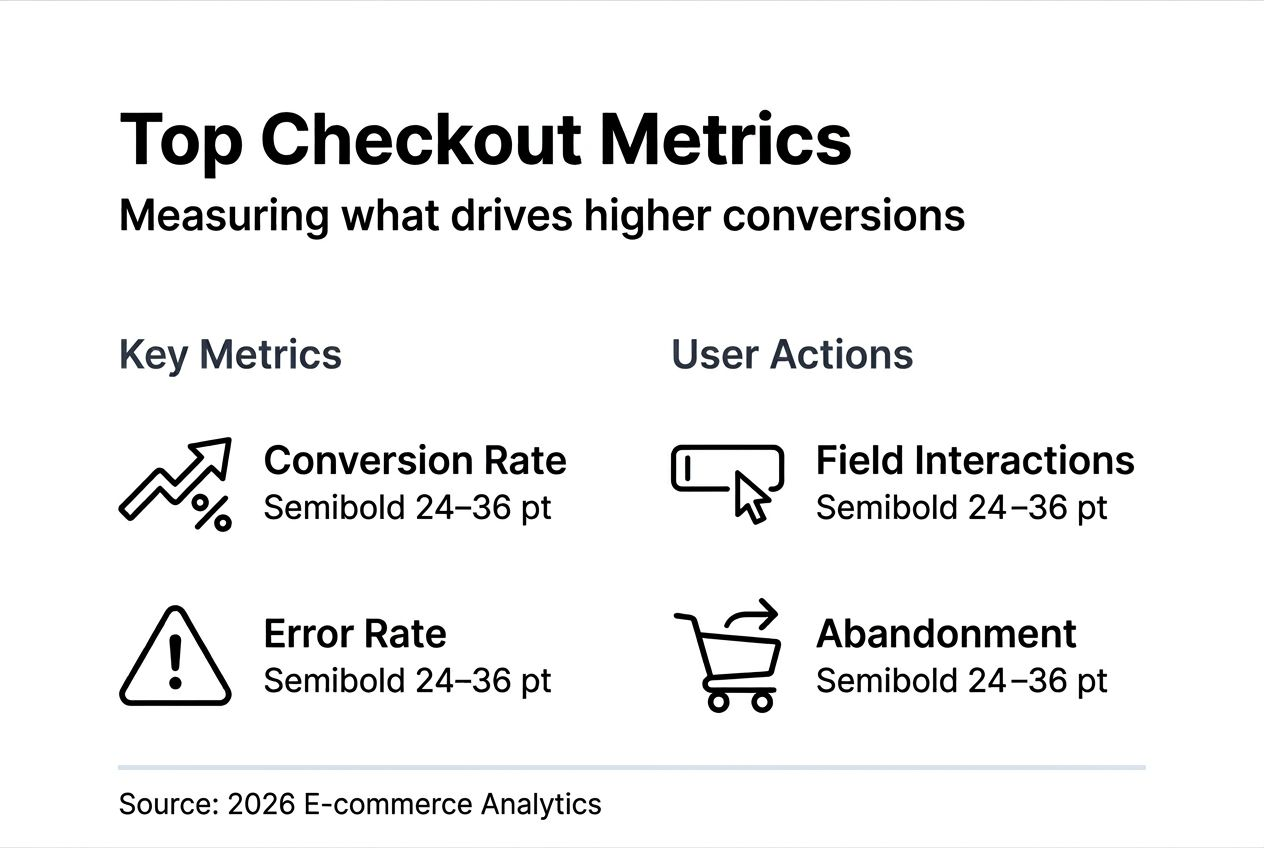
Understand your baseline metrics before changing anything. Track your current conversion rate, error rate, and abandonment rate at each checkout step. These numbers give you a starting point to measure improvement. Without them, you're flying blind.
Implement advanced goal tracking to capture granular user behavior. Standard analytics show you completed purchases, but goal tracking reveals where users struggle with specific form fields, which error messages they encounter, and exactly where they abandon the process. This data transforms vague hunches into actionable insights.
Ensure you have sufficient traffic volume. Small traffic sites need longer test durations to reach statistical significance. As a general rule, you need at least 100 conversions per variant to draw reliable conclusions. If your checkout sees fewer than 1,000 visitors monthly, expect tests to run longer than the standard 2 to 4 weeks.
Pro Tip: Start with free or low-cost plans if you're working with under 25,000 monthly users. Many platforms offer starter tiers perfect for A/B testing for small businesses without breaking the budget.
Prepare for mobile and desktop segmentation. Over half of checkout traffic now comes from mobile devices. Testing desktop-only variants misses the majority of your audience. Create separate test variants for each device type or at minimum verify your changes work seamlessly on mobile screens.
Essential metrics to track
| Metric | What it measures | Why it matters |
|---|---|---|
| Conversion rate | Percentage of visitors who complete purchase | Primary success indicator |
| Error rate | Form field errors per session | Identifies friction points |
| Abandonment rate | Users who start but don't finish checkout | Reveals drop-off stages |
| Time to complete | Average duration to finish checkout | Indicates form complexity |
With these prerequisites handled, you're ready to run tests that produce reliable, actionable results instead of misleading data.
Step-by-step process to test checkout forms effectively
Now that you have the foundation, here's how to execute a checkout form test from start to finish.
1. Identify your test element
Pick one specific element to test. Common high-impact options include CTA button text or color, number of form fields, placement of trust badges, guest checkout versus required account creation, or input field labels and placeholder text. Testing multiple changes simultaneously makes it impossible to know which change drove results.

2. Create your variant using a visual editor
Use your no-code platform's visual editor to build the test variant. Click the element you want to change, make your modification, and preview it. The entire setup takes minutes instead of days waiting for developer availability. For Shopify stores, specialized tools make it even easier to boost Shopify conversions with A/B testing without touching code.
3. Set your test parameters
Decide on test duration based on your traffic volume. Higher traffic sites can reach significance in 2 weeks, while lower traffic may need 3 to 4 weeks. Split traffic evenly between control and variant, typically 50/50. Configure your test to run continuously rather than stopping and starting, which introduces bias.
4. Enable comprehensive goal tracking
Set up goals beyond just completed purchases. Track micro-conversions like form field interactions, error message triggers, and progress through checkout steps. This granular data helps you understand user behavior even if the overall conversion rate doesn't change dramatically.
5. Add personalization where relevant
Dynamic keyword insertion increases conversions by 20% by matching landing page content to the user's search terms or traffic source. If users arrive from different campaigns, personalizing the checkout experience to reference their original intent keeps the message consistent and relevant.
6. Monitor in real-time
Check your test dashboard regularly during the first 48 hours to catch any tracking errors or technical issues. After the initial check, review data weekly rather than daily to avoid the temptation of calling tests early based on incomplete data.
7. Test mobile separately
Create mobile-specific variants that account for smaller screens and touch interactions. Button sizes that work perfectly on desktop may be too small for mobile users to tap accurately. Form fields that fit nicely in a desktop layout might require excessive scrolling on mobile.
Pro Tip: Before launching any test, walk through the checkout process yourself on both desktop and mobile. Click every button, fill every field, and verify tracking fires correctly. Five minutes of manual testing prevents days of collecting bad data.
Following this step-by-step A/B testing guide systematically removes guesswork and replaces it with data-backed decisions. The key is patience and discipline to let tests run their full course.
Common mistakes and how to fix them
Even experienced marketers fall into these traps when testing checkout forms. Recognizing and avoiding them saves time and produces reliable results.
Stopping tests too early
Over 40% of checkout form experiments fail because teams call winners before reaching statistical significance. A variant that looks like a winner on day three might regress to the mean by week two. Always wait for your testing platform to confirm significance, typically requiring at least 95% confidence and 2 weeks of data.
Testing multiple variables simultaneously
Changing your CTA button color and removing two form fields in the same test creates confusion. If conversions improve, which change caused it? If they drop, which element is the culprit? Test one variable at a time to isolate cause and effect clearly.
Ignoring mobile traffic
Desktop-only tests miss over half your audience. Mobile users behave differently, interact with forms differently, and convert at different rates. Always include mobile in your test scope or run dedicated mobile tests.
Misinterpreting data before significance
Early results fluctuate wildly. A variant showing 30% improvement on day two might end up with only 5% improvement after two weeks. Resist the urge to make decisions based on incomplete data. Statistical significance exists for a reason.
Failing to verify tracking accuracy
Incorrect tracking setup causes more test failures than any other factor. If your tracking code doesn't fire properly, you're collecting garbage data that leads to wrong conclusions. Always test your tracking in a staging environment before going live.
Neglecting to optimize call-to-action buttons properly
CTA buttons deserve special attention because they directly trigger conversions. Test button copy, color, size, and placement separately. Small changes like "Complete purchase" versus "Buy now" can shift conversion rates significantly.
Pro Tip: Create a pre-launch A/B testing checklist covering tracking verification, variant QA, mobile testing, and statistical significance thresholds. Run through it before every test to catch issues early.
Avoiding these mistakes separates successful tests from wasted effort. The discipline to follow A/B testing best practices consistently produces reliable insights you can act on with confidence.
Expected results and measurable outcomes
Setting realistic expectations prevents disappointment and helps you recognize genuine success when it happens.
Test duration timelines
Plan for 2 to 4 weeks depending on traffic volume. High-traffic sites collecting 1,000+ conversions weekly can often reach significance in 2 weeks. Lower-traffic sites need the full 4 weeks or longer. Rushing this timeline produces unreliable results.
Conversion rate improvements
Optimized checkout forms boost conversions by 10 to 25% when tests focus on high-impact elements. CTA button improvements alone can deliver 15% lifts. Form field reduction typically yields 10 to 20% gains. These ranges represent successful tests, not guaranteed outcomes.
Micro-conversion validation
Even if overall conversion doesn't change dramatically, micro-conversion tracking reveals valuable improvements. Reducing form errors by 30% improves user experience even if final conversion only increases 5%. Lower abandonment at specific steps indicates better form flow.
Statistical significance requirements
Aim for 95% confidence minimum before declaring a winner. Some teams use 90% for initial decisions with plans to validate further, but 95% provides stronger reliability. Higher confidence reduces false positives that lead to implementing changes that don't actually work.
Expected outcomes by test type
| Test element | Typical impact range | Time to significance |
|---|---|---|
| CTA button changes | 10 to 15% conversion lift | 2 to 3 weeks |
| Form field reduction | 15 to 25% conversion lift | 2 to 4 weeks |
| Trust badge placement | 5 to 10% conversion lift | 3 to 4 weeks |
| Guest checkout option | 20 to 30% conversion lift | 2 to 3 weeks |
These outcomes assume proper test execution and sufficient traffic. Your results will vary based on your specific audience, industry, and current checkout experience quality.
Understanding what to expect helps you evaluate whether your testing program delivers value. Track results over multiple tests to identify patterns and refine your testing strategy. Success in checkout optimization comes from consistent testing, learning, and iteration rather than looking for single magic-bullet changes. For broader optimization strategies, explore comprehensive eCommerce optimization approaches and goal tracking in ecommerce best practices.
Choosing the right tools and pricing plans
Selecting the right A/B testing platform determines how easily you can execute tests and how reliable your results will be.
Prioritize ease of use
No-code visual editors reduce setup time by up to 50% compared to code-based tools. For marketers without developer support, this capability is essential. Look for drag-and-drop interfaces that let you modify checkout elements visually rather than editing HTML.
Script size matters
Heavy testing scripts slow down page loads, hurting the conversion rates you're trying to improve. Choose platforms with scripts under 10KB to minimize performance impact. Lightweight scripts load faster and reduce the risk of test-induced slowdowns affecting results.
Advanced analytics and goal tracking
Basic conversion tracking isn't enough for checkout optimization. You need platforms offering advanced goal tracking that captures form field interactions, error rates, and abandonment points. Real-time analytics dashboards help you monitor test progress and catch issues early.
Pricing considerations for SMBs
Many platforms offer free tiers for sites with under 25,000 monthly tracked users. These plans typically include core testing features with some limitations on advanced capabilities. Starter paid plans usually begin around $50 to $100 monthly, scaling based on traffic volume and feature access.
Personalization features
Dynamic keyword insertion and content personalization boost conversion rates by maintaining message consistency from ad click through checkout. Platforms offering these features provide more optimization opportunities beyond basic A/B testing.
Platform comparison considerations
| Feature | Why it matters | What to look for |
|---|---|---|
| Script size | Site performance impact | Under 10KB |
| Visual editor | Setup speed | Drag-and-drop, no-code |
| Goal tracking | Data granularity | Form-level tracking |
| Pricing | Budget fit | Free tier or starter plan under $100/month |
| Analytics | Decision speed | Real-time dashboards |
Pro Tip: Start with free plans to pilot your first few tests before committing to paid tiers. This approach lets you validate the platform fits your workflow and delivers results before investing heavily.
When evaluating the best A/B testing platforms, consider your specific needs around traffic volume, technical resources, and budget constraints. The right tool balances powerful features with simplicity, letting you focus on optimization rather than fighting with complicated software. Understanding visual editor benefits helps you appreciate why this feature matters so much for marketing teams operating independently.
Boost your checkout conversions with Stellar's no-code A/B testing
You've learned the strategies, avoided the pitfalls, and understand what results to expect. Now you need a platform that makes execution effortless.
Stellar delivers everything covered in this guide in one lightweight package. The 5.4KB script ensures your site stays fast while you test. The no-code visual editor cuts setup time in half, letting you launch checkout form tests in minutes instead of waiting days for developer help. Advanced goal tracking captures every form interaction, error, and abandonment point so you understand exactly how users engage with your checkout process.

The free plan supports up to 25,000 monthly users, perfect for small to medium-sized businesses starting their optimization journey. Real-time analytics dashboards keep you informed without overwhelming you with data. You see what matters: conversion rates, statistical significance, and user behavior patterns that guide your next optimization move.
Whether you're implementing A/B testing best practices for the first time or scaling an existing program, Stellar provides the speed and simplicity you need. Apply the same systematic approach to your landing page testing and see how the platform adapts to different optimization challenges. Compare features across top A/B testing platforms and you'll see why marketers choose tools that balance power with ease of use.
Frequently asked questions
How long should a checkout form A/B test run to be effective?
Tests should run between 2 and 4 weeks depending on your traffic volume to reach statistical significance. Shorter durations often produce unreliable data and false positives that lead to implementing changes that don't actually improve conversions. Lower-traffic websites may need even longer test periods to collect enough data for confident decisions.
What are the most important elements to test on checkout forms?
Focus on CTA buttons, form length, input field design, trust signals, and mobile responsiveness as your highest-impact testing opportunities. Prioritize elements based on user behavior data and feedback rather than assumptions. Start with the elements showing the highest abandonment or error rates in your analytics.
How can I ensure my test results are accurate and reliable?
Run tests for at least 2 weeks, test only one variable at a time, and use advanced goal tracking to capture detailed interaction and error data. Always wait for statistical significance of at least 95% confidence before making decisions. Verify your tracking setup works correctly before launching tests to prevent data collection errors.
Are no-code A/B testing tools effective for checkout form optimization?
Yes, no-code tools reduce setup time by up to 50% while minimizing site performance impact through lightweight scripts. They enable marketers to run tests independently without developer support, accelerating the testing cycle significantly. The visual editors make creating and launching variants as simple as pointing and clicking.
What conversion rate improvement should I expect from checkout form testing?
Well-executed checkout form tests typically deliver 10 to 25% conversion improvements, with specific elements like CTA buttons producing 15% lifts and form field reduction yielding 20% gains. Your actual results depend on your current checkout quality, traffic patterns, and which elements you test. Consistent testing over time produces cumulative improvements that compound into significant revenue gains.
Recommended
Published: 3/6/2026