
Visual Editor for Marketers: Boosting A/B Testing Results
Managing marketing workflows often feels like navigating a maze of technical hurdles, especially when quick A/B tests require waiting on developers. For small to medium-sized ecommerce teams, this slows progress and makes adapting campaigns harder. With a visual editor, you can design, test, and improve customer journeys using simple drag-and-drop steps, eliminating barriers and letting your team focus on what drives results rather than troubleshooting code or chasing technical help.
Table of Contents
- Defining Visual Editors In Marketing Workflows
- Key Types Of Visual Editors Compared
- How No-Code Setup Accelerates Testing
- Integrating Real-Time Analytics And Reporting
- Common Pitfalls And Cost Considerations
Key Takeaways
| Point | Details |
|---|---|
| Visual Editors Enhance Efficiency | No-code visual editors allow marketing teams to implement A/B tests quickly, reducing the time from weeks to hours, enabling faster decision-making and optimization. |
| Collaboration and Transparency | Team-based processes in visual editors enhance communication and visibility, improving workflow consistency and reducing bottlenecks. |
| Real-Time Analytics Improve Insights | Integrated real-time analytics facilitate immediate feedback on campaign performance, allowing for swift adjustments and more informed marketing strategies. |
| Know Your Costs and Integrations | Understanding the potential costs related to subscription fees, training, and integrations is crucial for maximizing ROI and avoiding unexpected expenses. |
Defining Visual Editors in Marketing Workflows
A visual editor is an interface that lets you build marketing processes and automations without touching code. Instead of writing commands or dealing with complex technical configurations, you use drag-and-drop blocks to connect steps visually. Think of it like building with Lego blocks, where each piece represents a specific action in your workflow. For ecommerce marketing managers operating with limited technical resources, this approach eliminates the friction of depending on developers for every campaign change or test setup.
In practical terms, visual editors enable drag-and-drop automation without requiring coding knowledge. You can quickly design workflows that handle repetitive tasks, connect different marketing tools together, and iterate rapidly on your A/B testing strategies. The core advantage? You move faster. What used to take weeks of back-and-forth with your developer now takes hours. Your team can test different campaign variations, adjust targeting parameters, or modify landing page elements directly within the platform without waiting for technical handoffs.
Beyond speed, visual editors transform how teams collaborate. When marketing workflows shift from isolated individual efforts into coordinated team-based processes, consistency improves dramatically. Your entire team can see exactly how campaigns flow, who owns each step, and where bottlenecks occur. For small to medium-sized ecommerce businesses, this transparency means better communication and faster decision-making based on actual test results rather than assumptions.
The practical impact shows up immediately in your A/B testing workflow. You can launch tests, monitor performance, adjust variations based on real-time data, and scale winning tests without technical barriers slowing you down. Your focus shifts from managing technical complexity to what actually matters: understanding what resonates with your customers and optimizing your conversion rates.
Pro tip: Start with one simple workflow in your visual editor before attempting complex automation sequences. This builds confidence with the tool and reveals which integrations you'll need most, saving you setup time later.
Key Types of Visual Editors Compared
Not all visual editors work the same way. The type you choose depends on what you're trying to accomplish and how much customization your A/B testing strategy requires. The main categories break down into three distinct approaches, each with different strengths for ecommerce marketing teams.
Drag-and-drop builders prioritize simplicity and speed. These editors let you click blocks, arrange them in sequence, and connect them without thinking about complex logic. They work best when your testing needs are straightforward, like changing button colors on a landing page, swapping headline copy, or adjusting call-to-action placement. If you need to launch a test quickly and don't require intricate conditional logic, drag-and-drop editors get you there fast. The trade-off is flexibility, but for most small to medium-sized ecommerce businesses, this limitation rarely matters.
Flowchart-based editors visualize your entire testing workflow like a decision tree. These show process logic clearly, making it easy to see exactly how different variations flow through your campaign. They work when your testing strategy has multiple branches, like directing users to different landing pages based on traffic source or showing specific offers to returning customers. The added complexity is worthwhile when you're running sophisticated A/B tests that depend on customer behavior and contextual variables.
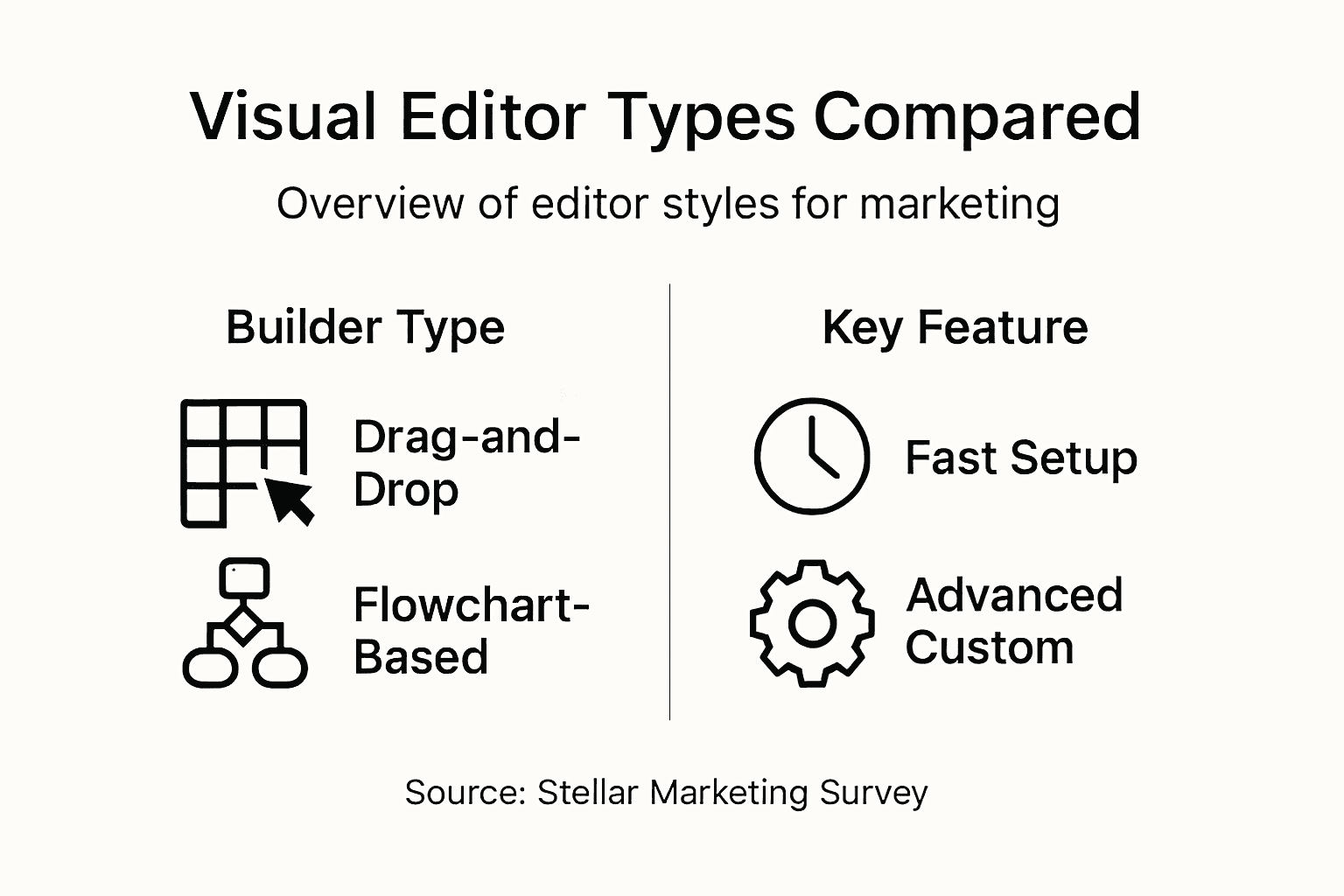
Modular block systems offer maximum customization for advanced marketers. These combine elements of both drag-and-drop and flowchart approaches, letting you build complex automations with multiple integrations. Drag-and-drop builders and flowchart editors serve distinct needs, but modular systems handle the scenarios where you need both ease of use and deep functionality. You can test variations, trigger automations based on user actions, and analyze results all within one cohesive workflow.
The real question isn't which type is best in general, but which one matches your current testing complexity. Starting simple with a drag-and-drop builder lets you build confidence and understanding. As your testing matures and you need more sophisticated conditional logic, you can move to flowchart or modular systems without losing your existing setup.
Here's a quick side-by-side comparison of visual editor types and their suitability for different campaign needs:
| Editor Type | Best For | Customization Level | Team Skill Requirement |
|---|---|---|---|
| Drag-and-drop | Simple tests, quick changes | Limited | Very low |
| Flowchart-based | Branching workflows, logic paths | Moderate | Moderate |
| Modular block system | Complex automations, integrations | High | Advanced |
Pro tip: Choose a visual editor that starts simple but allows you to grow into more complex features as your A/B testing strategy expands, rather than selecting the most powerful option upfront.
How No-Code Setup Accelerates Testing
The biggest bottleneck in A/B testing for most ecommerce teams isn't thinking of ideas or analyzing results. It's waiting. Waiting for developers to prioritize your test request, waiting for them to implement changes, waiting for code reviews and deployments. No-code visual editors eliminate this entirely by putting testing power directly in your hands.
With a no-code editor, you can launch an A/B test in hours instead of weeks. Instead of writing specifications for a developer, you click on elements directly within your page, adjust copy, change button colors, reposition offers, or create entirely new variations. The changes happen instantly within the visual interface. You can run A/B tests without needing developers to implement every single experiment. This means your testing velocity skyrockets. Where you might have run 5 tests per quarter before, you can now run 20 or 30. More tests means more learning, which means faster optimization of your conversion rates.
The speed advantage compounds over time. Think about a typical scenario: you notice that your checkout page has a high abandonment rate. Normally, you'd create a test plan, hand it to your developer, wait two weeks for implementation, then launch. With a no-code visual editor, you notice the problem on Monday, create three variations by Tuesday, and have statistically significant results within a week. You identify what actually works for your customers instead of guessing. No-code platforms provide intuitive interfaces for rapid hypothesis testing, enabling teams to test variations quickly without technical barriers. This agility transforms testing from a quarterly initiative into an ongoing process.

Beyond speed, no-code setup reduces errors. When developers translate your testing ideas into code, details sometimes get lost or misunderstood. You're describing what you want to test, they're interpreting what you mean, and the final result might not match your vision. With visual editing, you see exactly what you're testing before it launches. No translation layer. No miscommunication. You control every pixel, every word, and every interaction. This accuracy combined with velocity means you iterate faster and with more confidence.
The practical outcome? Your A/B testing becomes a competitive advantage instead of a technical hurdle. You can respond to market changes quickly, test seasonal variations without planning months ahead, and optimize continuously based on real customer behavior.
Pro tip: Start by identifying your most frequently tested element—whether that's button copy, headline variations, or offer presentation—and master no-code testing there before expanding to more complex experiments.
Integrating Real-Time Analytics and Reporting
Here's where visual editors separate themselves from basic testing tools. A no-code editor isn't just about creating test variations. It's about seeing what those variations actually accomplish the moment they go live. When you embed analytics directly into your visual editor, the entire testing workflow transforms. You're not switching between three different platforms, copying data into spreadsheets, or waiting for daily reports. You see results as they happen.
Real-time dashboards built into your visual editor show you exactly how each variation performs. You can monitor conversion rates, click-through rates, bounce rates, and custom events all within the same interface where you created the test. This creates an immediate feedback loop. You notice a test variation underperforming within the first hour, not three weeks later. You catch unexpected traffic patterns that might skew your results. You spot winning variations early and can decide whether to scale them faster. Real-time data visualization reduces the lag between execution and insight generation, letting you optimize campaigns based on up-to-the-minute performance metrics instead of historical averages.
This continuous feedback mechanism changes how you approach testing strategy. Instead of launching tests and waiting for statistical significance, you can make faster decisions based on early performance signals. For ecommerce managers working with tight budgets, this efficiency matters significantly. You're not burning marketing spend on underperforming variations while waiting for results. You can reallocate budget to winners immediately. Real-time analytics for websites enable you to catch performance issues early and adjust your approach mid-campaign rather than waiting for post-campaign analysis.
Beyond monitoring, integrated reporting creates a permanent record of what works for your business. Your test results, performance metrics, and variations live together in one accessible dashboard. This means your team builds institutional knowledge. New team members can review past tests and understand what strategies succeeded. You don't recreate tests because you can't remember if something was tried before. You build on successful patterns systematically instead of experimenting randomly. The data becomes actionable intelligence that drives better marketing decisions across your entire operation.
Pro tip: Set up alerts for key metrics in your real-time dashboard so you're notified immediately when a variation hits statistical significance or when performance drops unexpectedly.
Common Pitfalls and Cost Considerations
Visual editors solve real problems, but they're not magic. Understanding what can go wrong helps you avoid costly mistakes and get better returns on your investment. The most common pitfall is becoming dependent on template workflows. Many visual editors come with pre-built templates that work for standard scenarios, but they often limit what you can actually do. You might find yourself forcing your testing strategy into a template's constraints instead of building tests that match your unique business needs. This creates a false sense of capability. You think you can do anything with the tool, then you hit the template ceiling and get frustrated.
Integration challenges represent another real obstacle. If your ecommerce business runs on legacy systems, custom platforms, or proprietary tools, connecting them to a visual editor can become complicated and expensive. Potential integration costs and vendor lock-in can significantly impact your total cost of ownership, especially if you need custom integration development. Before choosing a visual editor, audit your existing tech stack carefully. Which tools do you absolutely need to connect? Which ones can you work around? Understanding these dependencies prevents surprises during implementation.
Cost considerations go beyond the subscription fee. Training your team takes time and resources. Your marketing manager needs to learn the platform before she can teach others. That's 10 to 20 hours of learning before she's productive. You might need to upgrade your subscription tier as your testing volume grows. Integration maintenance isn't free. Scaling from testing on one website to testing across five different properties costs more. Strategic cost-benefit analysis considers training expenses, scalability costs, and maintenance overhead to maximize ROI. Calculate the real total cost of ownership by adding subscription fees, integration costs, training time, and ongoing maintenance expenses.
To better understand budgeting for visual editors, consider these major cost factors:
| Cost Factor | Description | Potential Impact |
|---|---|---|
| Subscription Fees | Monthly or annual platform charges | Increases with feature set |
| Integration Costs | Connecting to other business tools | May require developers |
| Training Time | Hours spent ramping up team skills | Slows early progress |
| Maintenance Expenses | Regular updates and tech support needs | Can rise as usage grows |
The underestimation of learning curves catches many teams off guard. Basic drag-and-drop testing seems simple until you need conditional logic, advanced targeting, or multi-variant testing. Complex features have steeper learning curves than marketing managers typically expect. Plan for a gradual rollout where you master simple use cases before attempting sophisticated automations. Start with one team member becoming an expert, then expand from there.
Pro tip: Request a free trial and build one complete test from start to finish before committing to a paid plan, so you can identify integration issues and learning challenges before your investment.
Accelerate Your A/B Testing with Stellar’s No-Code Visual Editor
Many marketers struggle with slow and complex A/B testing workflows that depend heavily on developers. The article highlights how no-code visual editors empower you to create and modify tests quickly while maintaining full control and clarity over your campaigns. For small to medium-sized ecommerce businesses, overcoming these technical barriers means faster launches, real-time insights, and better collaboration across teams.
Stellar is designed precisely to solve these challenges. Our platform offers the fastest, lightest A/B Testing Tool with a user-friendly Visual Editor that requires no coding skills. You can build and adjust tests in minutes, track goals with precision, and access real-time analytics all in one place. This enables you to test more frequently and make data-driven decisions that boost conversion rates without waiting weeks for developer handoffs.

Ready to leave slow testing behind and embrace the speed and simplicity of no-code experimentation? Visit Stellar today, start with our free plan, and discover how easy it is to optimize your marketing campaigns faster than you ever thought possible.
Frequently Asked Questions
What is a visual editor in marketing workflows?
A visual editor is a no-code interface that allows marketers to build processes and automations using a drag-and-drop functionality, simplifying the creation of A/B tests and marketing workflows without needing coding knowledge.
How can a visual editor improve A/B testing speed?
By enabling marketers to implement changes directly and quickly through a visual interface, a visual editor reduces the time spent waiting for developers, allowing teams to launch A/B tests in hours instead of weeks.
What types of visual editors are available for marketers?
There are three main types: drag-and-drop builders for simple tasks, flowchart-based editors for complex decision trees, and modular block systems for maximum customization. Each type serves different testing strategies and levels of complexity.
What are the common pitfalls of using a visual editor for A/B testing?
Common pitfalls include becoming overly reliant on template workflows that may limit creativity, facing integration challenges with existing systems, and underestimating the time required for team training and onboarding with the platform.
Recommended
Published: 1/26/2026