
The Best Web Code Editors for Developers in 2026
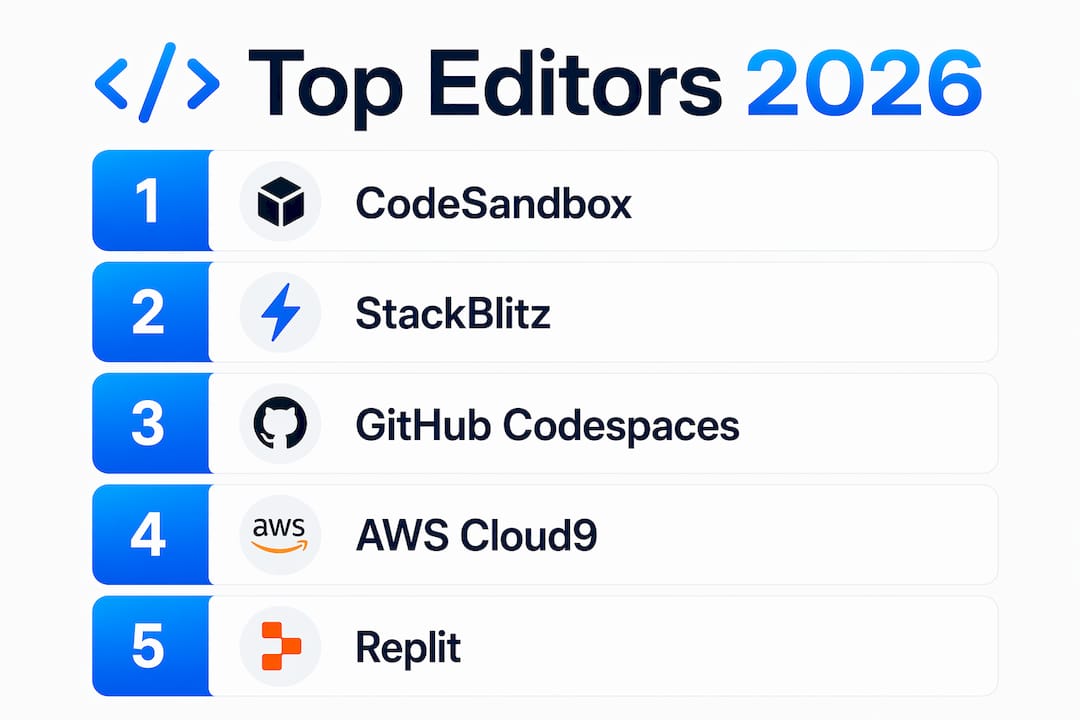
The strongest web code editors right now are CodePen, CodeSandbox, StackBlitz, GitHub Codespaces, Replit, and Gitpod for cloud-based work, with CodeMirror and Monaco Editor leading the embedded library category. Here is a quick orientation before the full profiles:
- CodePen — front-end prototyping and community snippet sharing
- CodeSandbox — full project development with VM-based sandboxing that spins up in under three seconds
- JSFiddle — minimalist quick tests for HTML, CSS, and JavaScript
- StackBlitz — WebAssembly-powered browser runtime with near-zero network lag
- AWS Cloud9 — cloud IDE wired directly into the AWS ecosystem
- Gitpod — Git-triggered automated dev environments
- CodeMirror — lightweight embeddable editor library for custom web apps
- Monaco Editor — the VS Code engine, deployable in any web page
- Codeanywhere — cross-platform cloud IDE built for remote teams
- Theia — open-source IDE framework for custom cloud or desktop deployments
- GitHub Codespaces — VS Code in the cloud, tied to your GitHub repos
- JetBrains (web IDE) — full IntelliJ-grade analysis and debugging, browser-delivered
- CodeTasty — fast cloud IDE with a clean UI and multi-language support
- Replit — collaborative browser IDE with real-time editing and cloud hosting
- PaizaCloud — instant-start cloud environment for quick coding sessions
Detailed profiles of the leading online code editors
Every editor below solves a different problem. The right pick depends on whether you need a shareable snippet, a full cloud workspace, or an embeddable component inside your own product.
| Editor | Best For | Key Features | Free Tier | Collaboration | Integrations |
|---|---|---|---|---|---|
| CodePen | Front-end prototyping | Live preview, community sharing, CSS/JS snippets | Yes | Limited | CDN libraries |
| CodeSandbox | Full project dev | microVM spin-up, snapshot restore, AI agents | Yes (limited) | Yes | GitHub, npm |
| JSFiddle | Quick demos | HTML/CSS/JS panels, embed sharing | Yes | Limited | External libraries |
| StackBlitz | Performance-sensitive dev | WebAssembly runtime, offline work, Node.js in browser | Yes | Yes | GitHub, npm |
| AWS Cloud9 | AWS-native development | AWS CLI, EC2 integration, pair programming | Pay-per-use | Yes | Full AWS suite |
| Gitpod | Git-automated workspaces | Prebuilt environments, VS Code/JetBrains UI | Yes (limited) | Yes | GitHub, GitLab, Bitbucket |
| CodeMirror | Embedding in web apps | Modular, syntax highlighting, extensible API | Open source | N/A | Any web framework |
| Monaco Editor | Advanced embedded editing | VS Code feature parity, IntelliSense, folding | Open source | N/A | Any web framework |
| Codeanywhere | Remote team coding | Multi-device, SSH access, container workspaces | Yes (limited) | Yes | GitHub, Bitbucket |
| Theia | Custom IDE builds | Open-source, VS Code extension support, desktop/cloud | Open source | Configurable | Kubernetes, Docker |
| GitHub Codespaces | GitHub-centric teams | VS Code in browser, devcontainer config, port forwarding | Limited free | Yes | Full GitHub ecosystem |
| JetBrains (web IDE) | JS/TS full IDE online | Code analysis, debugging, refactoring, AI Assistant | Paid | Yes | JetBrains ecosystem |
| CodeTasty | Fast multi-language access | Quick provisioning, clean UI, language flexibility | Yes | Limited | Git |
| Replit | Education and collaboration | Real-time editing, Ghostwriter AI, cloud hosting | Yes | Yes | GitHub, package managers |
| PaizaCloud | Quick cloud sessions | Fast boot, browser terminal, multi-language | Yes | Limited | Git |
CodePen
CodePen built its reputation on one thing: making it dead simple to isolate a front-end idea and share it. You get three panels for HTML, CSS, and JavaScript, a live preview that updates as you type, and a public gallery where millions of developers post their work. It is not a place to build a production app, but for testing a CSS animation or a JavaScript interaction, nothing gets you from idea to shareable link faster.
CodeSandbox
CodeSandbox has shifted from a simple online editor to a full VM-based development platform. Its microVM infrastructure spins up entire environments in under three seconds and restores snapshots in under two. That speed matters when you are spinning up isolated environments for AI agents or running parallel student workspaces. The platform recently joined forces with Together AI, adding AI agent sandboxing to its core offering.

JSFiddle
JSFiddle stays deliberately minimal. Four panels, a run button, and a shareable URL. No account required for basic use. It suits developers who want to reproduce a bug or demo a concept without any setup friction. The interface has not changed much in years, which is either a feature or a limitation depending on your taste.
StackBlitz
StackBlitz runs entirely inside your browser using a WebAssembly-based runtime that boots in milliseconds. Legacy cloud IDEs stream UI from remote servers, which adds latency on every keystroke. StackBlitz eliminates that by running Node.js locally in the browser tab, so you can work offline and reset a broken environment with a page refresh. Its Bolt product takes this further, letting you describe an app in plain language and get a running full-stack project back.

Pro Tip: If you are evaluating StackBlitz for a team, test it on a slow connection. The offline capability is the real differentiator, not just the startup speed.
AWS Cloud9
AWS Cloud9 is the right choice when your project lives inside the AWS ecosystem. It runs on EC2 instances, so you get direct access to AWS CLI, IAM roles, and services without configuring credentials locally. Pair programming is built in. The trade-off is cost: you pay for the underlying EC2 compute, and the editor itself is not particularly fast compared to newer alternatives.
Gitpod
Gitpod automates the "it works on my machine" problem. You define your workspace configuration in a .gitpod.yml file, and every contributor who opens the repo gets an identical, prebuilt environment. It integrates with GitHub, GitLab, and Bitbucket, and supports both a VS Code-style browser UI and a local VS Code connection. Teams that spend time debugging environment differences tend to find Gitpod pays for itself quickly.
CodeMirror
CodeMirror is a library, not a standalone editor. You embed it into your own web application to give users a code editing experience with syntax highlighting, autocompletion, bracket matching, and code folding. Its modular architecture means you load only the language parsers and extensions you actually need. Developers building online learning platforms, documentation tools, or admin dashboards reach for CodeMirror when they need a flexible embedded editor without pulling in a full IDE.
Monaco Editor
Monaco is the engine that powers VS Code, extracted and made available for embedding in any web page. You get IntelliSense, multi-cursor editing, diff views, and the same keyboard shortcuts VS Code users already know. One practical note: because Monaco relies on web workers, it requires serving over HTTP or HTTPS rather than a local file:// URL. For teams building internal tools or developer portals, Monaco delivers IDE-grade editing with minimal configuration.
Codeanywhere
Codeanywhere targets remote developers who need a consistent environment across devices. It provides container-based workspaces accessible from any browser, SSH access to those containers, and collaboration features for pair coding. It supports a wide range of languages and connects to GitHub and Bitbucket for repository management.
Theia
Theia is the open-source framework that powers several commercial cloud IDEs, including Eclipse Che. You can deploy it as a cloud IDE, a desktop app, or embed it in a product. It supports VS Code extensions, which gives it a large plugin ecosystem out of the box. Organizations that need a white-labeled or deeply customized IDE, rather than a hosted service, typically choose Theia as the foundation.
GitHub Codespaces
GitHub Codespaces puts a full VS Code environment in your browser, backed by a cloud virtual machine configured through a devcontainer.json file. For teams already on GitHub, the integration is tight: open any repo in a Codespace, and your extensions, settings, and dotfiles follow you. Port forwarding makes it practical for web development, since you can preview a running local server directly in the browser.
JetBrains (web IDE)
JetBrains delivers its IntelliJ-based analysis and debugging tools through a browser interface, covering JavaScript, TypeScript, and related stacks via WebStorm's web version. The code analysis catches potential bugs and performance issues before you run anything, which is the core reason developers pay for JetBrains products. The AI Assistant, added in 2024, provides inline suggestions, though it trails Cursor in multi-file editing depth.
CodeTasty
CodeTasty offers quick provisioning and a clean interface without much ceremony. It supports multiple languages and connects to Git repositories. The profile is thinner than the major players, but it suits developers who want a fast, no-fuss cloud editor for occasional use.
Replit
Replit is where education and rapid prototyping meet. Real-time collaborative editing lets multiple developers work in the same file simultaneously, which makes it popular for pair programming sessions and classroom use. Its Ghostwriter AI feature provides code suggestions and explanations inside the editor. Cloud hosting is built in, so you can share a running app with a URL immediately after writing the code.
PaizaCloud
PaizaCloud starts fast and stays simple. You get a browser-based terminal and editor with multi-language support and Git integration. It is a solid option for quick cloud sessions when you do not want to configure a full workspace.
Why web-based code editors have become the default for many developers
The shift toward browser-based and cloud-hosted editors is not just about convenience. There are concrete workflow advantages that local editors cannot match.
- Zero setup: You open a URL and start coding. No runtime installation, no dependency conflicts, no "works on my machine" conversations.
- Real-time collaboration: Tools like Replit and GitHub Codespaces let multiple developers edit the same file simultaneously, which changes how code reviews and pair programming work.
- Consistent environments: Gitpod and GitHub Codespaces enforce identical configurations across every contributor, eliminating environment drift on large teams.
- Instant sharing: CodePen and JSFiddle generate a shareable URL the moment you save, which is faster than any local-to-staging deployment pipeline.
- AI integration: Editors like Replit (Ghostwriter) and JetBrains (AI Assistant) embed AI suggestions directly in the browser. AI-native editors rebuilt around AI at the core offer deeper assistance than those with AI bolted on as an extension.
- Cross-device access: A cloud IDE on a tablet or a borrowed laptop gives you the same environment as your primary machine.
That said, cloud editors have real limits. Lightweight local editors like Neovim or Sublime Text handle massive files and resource-constrained environments better than any browser-based tool. Many developers run both: a cloud editor for collaboration and sharing, a local editor for heavy lifting. Understanding visual editor capabilities alongside code editors can also open up faster workflows for teams that mix design and development.
How to choose the right web code editor for your workflow
The wrong editor does not slow you down dramatically on day one. It slows you down gradually, through small frictions that compound over months. Here is how to cut through the feature lists and find the right fit.
Start with your primary use case. If you are prototyping front-end components and sharing them with a team or community, CodePen or JSFiddle covers the need without any overhead. If you are building full projects with npm dependencies and multiple files, CodeSandbox, StackBlitz, or GitHub Codespaces are the right tier.
Consider your language and framework requirements. Most cloud IDEs handle JavaScript and TypeScript well. For Python, Go, or Rust, check whether the editor supports the runtime you need. Replit and PaizaCloud cover a wide range of languages. AWS Cloud9 suits polyglot teams building on AWS infrastructure.
Evaluate collaboration depth. Real-time co-editing (Replit, GitHub Codespaces) is different from shared access to a workspace (Codeanywhere, Gitpod). Know which one your team actually needs before paying for either.
- Offline access: StackBlitz is the only browser-based editor that works offline, thanks to its WebAssembly runtime. Every other cloud IDE requires a network connection.
- AI integration depth: There is a real difference between an editor with an AI autocomplete plugin and one rebuilt around AI. Editors built with AI at the core offer multi-file refactoring and codebase-aware chat that plugin-based AI cannot match.
- Embedding needs: If you are building a product that needs a code editing component, CodeMirror and Monaco Editor are the two serious options. Monaco brings VS Code parity; CodeMirror brings modularity and a smaller footprint.
- Budget: Most editors offer a free tier. GitHub Codespaces charges for compute hours beyond the free monthly allowance. AWS Cloud9 charges for EC2. JetBrains web IDE requires a paid subscription. Matching editors to actual workflow needs before committing to a paid plan saves money and avoids switching costs later.
Pro Tip: Test any editor you are seriously considering on a real task from your current project, not a toy example. Multi-file navigation, search-and-replace across a codebase, and terminal behavior reveal more about fit than any feature checklist.
Security is worth a brief mention. Cloud IDEs store your code on third-party servers. For proprietary codebases, check each provider's data residency and privacy policies before onboarding a team. Gitpod and GitHub Codespaces both offer enterprise plans with stricter controls. Monaco and CodeMirror, as embedded libraries, keep code entirely within your own infrastructure.
Gostellar takes a different approach to web editing
The editors above are built for writing and running code. Gostellar is built for what happens after the code ships: testing whether it actually works for your users.

Gostellar is an A/B testing platform for marketers and growth teams at small to mid-sized businesses. Where a code editor helps you build a page, Gostellar's no-code visual editor lets you run experiments on live pages without touching the codebase again. Its script weighs only 5.4KB, so it adds no meaningful load to pages you have already optimized. Dynamic keyword insertion, real-time analytics, and advanced goal tracking are included across its plan tiers, with a free plan available for sites under 25,000 monthly tracked users. If you are a developer who hands off pages to a marketing team, Gostellar gives that team the ability to iterate independently without filing tickets for every copy or layout change.
Key Takeaways
The best web code editor is the one that matches your actual workflow, not the one with the longest feature list.
| Point | Details |
|---|---|
| Cloud vs. embedded | Cloud IDEs suit full project work; CodeMirror and Monaco Editor are the right choice for embedding editing in your own product. |
| Performance leader | StackBlitz runs via WebAssembly in the browser, eliminating network latency and enabling offline work. |
| AI integration depth | Editors rebuilt around AI offer multi-file refactoring and codebase chat; plugin-based AI assistants are a step behind. |
| Free tiers are real | CodePen, JSFiddle, StackBlitz, Replit, and CodeMirror all offer genuinely usable free access without time limits. |
| Gostellar's role | Gostellar complements code editors by letting marketing teams run A/B tests on live pages without developer involvement. |
Recommended
Published: 7/19/2026