
Websites and Apps: A Growth Marketer's Optimization Guide
What's the real difference between websites, web apps, and native apps?
Websites, web apps, and native apps each occupy a distinct role in your marketing stack. Conflating them leads to wasted budget and misaligned experiments.
A website is a collection of browser-accessible pages built primarily to deliver content and capture organic search traffic. It's your top-of-funnel workhorse. SEO potential is strongest for websites because search engines index them directly, making them the preferred channel for new user acquisition.
A web app runs in the browser too, but it's built for interaction rather than reading. Think dashboards, customer portals, and tools that require a login. Users can create, edit, and manage their own data. Google Docs and online banking platforms are classic examples.

A native app is installed software downloaded from the Apple App Store or Google Play. It runs directly on the device and can access hardware features like GPS, the camera, and push notifications. That device integration is what makes native apps powerful for retention and frequent, on-the-go use.
How marketers use each:
- Websites: organic discovery, blog content, landing pages, SEO-driven lead capture
- Web apps: logged-in user experiences, personalized dashboards, SaaS product delivery
- Native apps: push notification campaigns, location-based targeting, offline access, daily-use products
Table of Contents
- Strategic considerations when optimizing websites and apps
- How to use A/B testing strategically across websites and apps
- Gostellar: built for fast experimentation across websites and apps
- How growth teams should balance websites, web apps, and native apps
- Key Takeaways
Strategic considerations when optimizing websites and apps
Budget is the first filter. Mobile apps cost between $25,000 and $70,000 to develop and maintain, while a mobile website typically runs $100 to $3,000 depending on size and functionality. For most growth teams at small to medium-sized businesses, the math strongly favors starting with a mobile-optimized website.
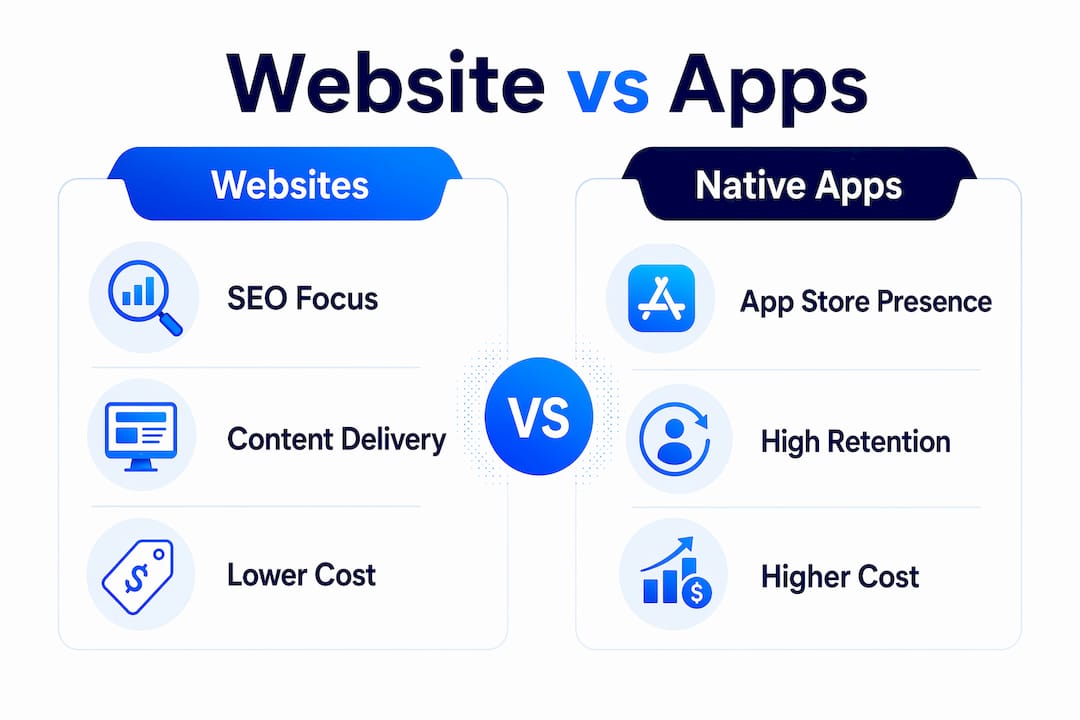
SEO discoverability is the second filter. Native apps live inside app stores, not search results. If your primary goal is acquiring new users through organic search, a website gives you the channel; an app does not. Growth experts advise launching a web presence first for broader reach and cross-platform compatibility before committing to native development.
User experience design priorities shift by platform. On a website, the job is clarity: fast load times, readable content, and frictionless conversion paths. On a web app, it's workflow efficiency. On a native app, it's speed and tactile responsiveness. Designing for the wrong mental model on any of these platforms kills conversion before your A/B test even starts.
Key strategic factors to weigh:
- Privacy and data compliance: Websites collect data via cookies and forms, governed by frameworks like GDPR and CCPA. Native apps request device permissions, which requires explicit disclosure and often a more detailed privacy policy. The compliance burden is higher on the app side.
- Cross-platform integration: Your website and app should share consistent messaging, UTM tracking, and conversion goals. A user who clicks a paid ad, lands on your website, and later opens your app should experience a coherent journey.
- Responsive web design: A mobile-friendly website built with responsive web design principles captures mobile traffic without the cost or friction of an app download.
Pro Tip: Before you invest in native app development, run your mobile web experience through Google's Core Web Vitals audit. If your Largest Contentful Paint is above 2.5 seconds, fix that first. A slow mobile website will underperform any app you build on top of it.
For deeper guidance on website and app strategy, the sequencing of platforms matters as much as the platforms themselves. Mobile-friendly SEO also plays a direct role in SaaS traffic growth at every stage of the funnel.
How to use A/B testing strategically across websites and apps
A/B testing on a website and A/B testing inside a native app are genuinely different disciplines, and treating them the same way is one of the most common mistakes growth teams make.
On websites, you can deploy a JavaScript snippet, make visual changes through a no-code editor, and see results within days. The feedback loop is fast. On native apps, any change to the UI typically requires a new build submitted to the app store, which adds days or weeks to your iteration cycle. That asymmetry means your website should carry the bulk of your rapid experimentation, while app tests should be reserved for high-confidence hypotheses.
Best practices for platform-specific A/B testing:
- Define platform-appropriate metrics. On a website, track click-through rate, form completions, and bounce rate. On a web app, track feature adoption, session depth, and task completion. On a native app, track retention rate, push notification open rate, and in-app purchase conversion.
- Segment by device before you test. A headline that converts well on desktop may perform differently on mobile. Always check device-level data before declaring a winner.
- Run tests sequentially, not simultaneously. Overlapping experiments on the same page or screen contaminate your results. One test at a time per surface.
- Set your sample size before launch. Stopping a test early because it looks good is the fastest way to act on a false positive.
- Use cross-platform insights. A copy change that lifts conversions on your website landing page is worth testing in your app's onboarding flow. Learnings transfer more than most teams realize.
Real-time analytics and goal tracking tailored to each platform reveal which changes actually move revenue, not just surface-level metrics. The goal definition step is where most teams underinvest: vague goals produce uninterpretable results.
Gostellar: built for fast experimentation across websites and apps
Gostellar is a lightweight A/B testing platform built specifically for marketers and growth hackers who need to run experiments without waiting on a developer. Its script weighs just 5.4KB, which means it adds virtually no load time to your pages. For conversion rate optimization, page speed is not a secondary concern; it's a direct input to your test results.
Core features:
- No-code visual editor: Make changes to headlines, buttons, images, and layouts directly on the page. No HTML required.
- Dynamic keyword insertion: Personalize landing pages based on the search term that brought a visitor in, without creating dozens of separate pages.
- Advanced goal tracking: Track clicks, form submissions, scroll depth, and custom events as conversion goals.
- Real-time analytics: See test results as they accumulate, with clear confidence indicators so you know when to call a winner.
- Flexible pricing: Gostellar offers a free plan for businesses with under 25,000 monthly tracked users, with paid tiers that scale with traffic. There's no lock-in.
Gostellar's users consistently point to two things: the speed of setup and the clarity of the results interface. Marketers praise the platform for improving conversion rates with a workflow that doesn't require pulling in engineering resources for every experiment. That matters most when you're running multiple tests across a website and a web app simultaneously.
For marketers focused on lead generation optimization, Gostellar's goal tracking makes it straightforward to tie test variants directly to pipeline outcomes, not just page metrics.
How growth teams should balance websites, web apps, and native apps
The most practical framework is sequential: start with a mobile-friendly website, add web app functionality when users need to log in and complete tasks, then build a native app only when frequent mobile use and device features justify the investment. Launching a web app first gives you broader reach and cross-platform compatibility while you validate demand.
A stepwise approach:
- Step 1: Build a responsive website optimized for SEO and top-of-funnel acquisition.
- Step 2: Add web app features (user accounts, dashboards, saved preferences) when your audience needs to do more than read.
- Step 3: Invest in a native app when push notifications, offline access, or device hardware are genuinely central to your product experience.
Resource allocation should follow user behavior data, not assumptions. Check your analytics: if most users access your product from mobile browsers and rarely return after the first session, a native app won't fix that. A better onboarding flow on your website probably will.
Progressive Web Apps (PWAs) are worth serious consideration as a middle step. Users can add a PWA to their home screen directly from a browser, and PWAs support push notifications and offline use without requiring an app store listing. For growth teams with limited budgets, a PWA often delivers the engagement benefits of a native app at a fraction of the development cost.
Pro Tip: If you're unsure whether your audience wants a native app, run a PWA for 90 days and measure home screen installs and return visit rates. Real demand shows up in the data before you spend $50,000 on a native build.
Privacy compliance deserves a dedicated line in your platform planning. Websites operating under cookie consent frameworks face one set of requirements. Native apps requesting location, camera, or contact permissions face another. Build your data collection strategy before you build the product, not after a compliance issue surfaces.
Continuous improvement through A/B testing ties all three platforms together. The teams that grow fastest treat every platform as a live experiment, not a finished product. Your website, web app, and native app each generate behavioral data that informs the others. A CRO-focused approach to platform management turns that data into compounding gains over time.
Key Takeaways
Websites drive acquisition through SEO, web apps deliver interactive functionality, and native apps maximize retention through device integration — the right sequence is website first, then web app, then native app.
| Point | Details |
|---|---|
| Websites win on SEO | Websites are directly indexed by search engines; native apps are not, making websites the primary acquisition channel. |
| App development costs more | Native app development runs significantly more than mobile websites, which tend to cost far less depending on size and functionality. |
| PWAs bridge the gap | Progressive Web Apps support push notifications and offline use without requiring an app store download. |
| A/B testing differs by platform | Website tests iterate in days; native app tests require new builds, so reserve app experiments for high-confidence ideas. |
| Gostellar's 5.4KB script | Gostellar's lightweight script minimizes page load impact, keeping test performance from skewing your conversion data. |
Recommended
Published: 7/22/2026