
Website Functionality Testing: A Developer's Guide
TL;DR:
- Effective website functional testing focuses on verifying user workflows, not just individual features, to catch business-critical failures. Building stable, workflow-driven tests with reliable selectors and early CI integration enhances reliability and prevents false positives, ensuring tests reflect actual user experiences. Employing a balanced mix of manual exploratory, API, and automated end-to-end testing, alongside disciplined maintenance, helps teams deliver consistent, high-quality web applications.
Most teams think website functionality testing is just about catching bugs before launch. It is not. Done well, it is the practice of verifying that your site works the way real users actually use it, not just the way the spec says it should. Every broken checkout flow, failed form submission, or misfired permission check is a business problem first and a technical problem second. This guide covers how to approach functional testing from a workflow perspective, build stable test suites that stay reliable, and design coverage that actually reflects what your users do.
Table of Contents
- Key takeaways
- Website functionality testing: foundations and types
- Why workflow-centered testing wins
- Engineering best practices for stable tests
- Planning and designing your test coverage
- Tools and automation strategies
- My honest take on where most teams go wrong
- How Gostellar supports your testing and optimization work
- FAQ
Key takeaways
| Point | Details |
|---|---|
| Test workflows, not just features | Anchor your test coverage on end-to-end user journeys like checkout and login, not isolated UI components. |
| Flaky tests destroy trust | Replace fixed waits with state-based waits and use stable selectors to keep your suite trustworthy. |
| Plan scenarios before cases | Write high-level test scenarios first to map coverage, then write detailed test cases for execution. |
| Shift testing left | Integrate functional checks into your CI/CD pipeline early so defects surface before they compound. |
| Automation and exploratory testing are both needed | Automate critical regression paths and use manual exploratory testing to catch what scripts miss. |
Website functionality testing: foundations and types
Before you can build a reliable test suite, you need a clear mental model of what functional testing actually covers and where it fits among the other test disciplines.
Functional testing verifies that a system's features meet the requirements set by users and stakeholders. The goal is twofold: verification (did we build the thing right?) and validation (did we build the right thing?). Most functional testing is black-box by nature, meaning testers interact with the system through its interface without knowledge of internal code. This matters because black-box techniques remain useful even as implementation details change.
White-box testing, on the other hand, uses knowledge of the internal structure to design tests. It is valuable for unit and integration-level checks where you want to exercise specific code paths. Experience-based testing covers exploratory and error-guessing techniques, where a skilled tester uses domain knowledge to probe areas automation misses.
Static testing through code reviews and static analysis complements all of the above by catching defects before any code runs. It is a frequently skipped step, but it pays off disproportionately early in a sprint.
Here is a breakdown of the test types most relevant to web applications:
- UI testing: Validates that interface elements behave correctly, including buttons, forms, dropdowns, and navigation.
- API testing: Confirms that backend endpoints return correct responses, handle errors properly, and enforce business rules at the data layer.
- Integration testing: Checks that modules and services work together correctly, for example, that a payment service integrates properly with your order management system.
- Regression testing: Re-runs existing checks after new changes to detect unintended breakage in previously working functionality.
- End-to-end (E2E) testing: Simulates full user journeys from start to finish, covering the entire stack from browser to database.
Functional testing is distinct from performance testing (does the site respond fast enough?) and security testing (are there exploitable vulnerabilities?). Understanding these boundaries prevents you from designing a functional suite that tries to do everything and ends up doing nothing well.
Why workflow-centered testing wins
The most common failure mode in website functionality testing is building a large collection of feature-level tests while ignoring the paths users actually take. You can have 500 passing tests and still ship a broken checkout.

E2E testing anchored on user workflows covers the experience comprehensively in a way that low-level API or unit tests cannot. A unit test confirms that a discount calculation function returns the right number. A workflow test confirms that a logged-in user can apply a coupon code, see the updated total, and complete a purchase. Those are very different guarantees.
The workflows worth testing are the ones that directly map to business outcomes. Start with these:
- User registration and login: Covers account creation, password validation, session handling, and permission-based redirects.
- Checkout and payment: Validates cart updates, promo code application, address input, payment processing, and order confirmation.
- Form submission: Tests required field validation, error messages, success states, and downstream data handling.
- Search and filter: Confirms that results match query parameters and that edge cases like empty results are handled gracefully.
- Role-based access: Verifies that users see only what their permissions allow and that unauthorized routes return the correct response.
Workflow-focused testing catches business rule failures that isolated feature tests miss entirely. A permissions check test might pass at the component level while a real user can still access a restricted page through a deep link.
Understanding the difference between a test scenario and a test case sharpens your planning here. A test scenario is a high-level description of what needs to be verified, such as "user can complete a purchase with a saved payment method." A test case specifies the exact steps, inputs, and expected outputs used to execute that scenario. Write scenarios first when mapping coverage, then expand into detailed cases for automation.
Pro Tip: When mapping your workflows, walk your site as a first-time user with no admin access and write down every action that could fail silently. These paths, especially the ones you consider obvious, are where undetected regressions live.
Unit and API tests still belong in the mix. They run faster, are easier to debug, and handle logic-heavy validations efficiently. Think of them as the foundation that supports your E2E layer, not a replacement for it. Using API and unit tests for logic while reserving E2E checks for critical workflows gives you both speed and realistic user validation.
Engineering best practices for stable tests
A test suite that fails randomly is worse than no suite at all. When developers stop trusting the results, they start ignoring failures, and that is when real bugs slip through. Building stable, maintainable tests is engineering work, not an afterthought.
Here are the practices that make the largest difference in practice:
- Replace fixed waits with state-based waits. Tests that wait deterministically for element visibility or network call completion are far more reliable than "sleep(3000)`. Fixed waits either slow tests down unnecessarily or cause failures on slower environments.
- Use stable selectors. Stable selectors like data-testid attributes decouple your tests from visual design changes. When a designer refactors the CSS class structure, your tests keep passing because they are not keyed on presentational details.
- Isolate test data and environment state. Parallel test execution requires that each test run starts from a clean, predictable state. Shared test users and static database records create inter-test dependencies that cause mysterious failures.
- Set up and tear down data via API. Use your application's API to create the user accounts, products, or records a test needs, then clean them up after. This is faster and more reliable than driving setup through the UI.
- Split tests by speed and criticality. Fast smoke tests covering your most critical five to ten workflows belong on every pull request. PR-stage E2E suites should complete in five to ten minutes for useful feedback. Comprehensive regression suites can run on merge to main or overnight.
- Capture test artifacts on failure. Screenshots, video recordings, and network logs turn a red test into a solvable problem. Without them, debugging a CI failure is guesswork.
- Treat flaky tests as bugs. A test that fails twenty percent of the time without a code change is not a minor annoyance. Flaky tests destroy suite value by making the overall signal unreliable. Quarantine them, fix them, or delete them.
Pro Tip: Add a data-testid naming convention to your team's contribution guidelines. When every developer adds test attributes as part of writing a feature, you never have to retrofit selectors across a large codebase.
Pair your lab-based functional tests with real user monitoring. Functional regressions often surface through interaction timing issues or third-party script behavior that controlled test environments do not fully replicate. Monitoring real sessions gives you the signal that scripted tests cannot.
Planning and designing your test coverage
Good coverage does not come from writing as many tests as possible. It comes from deliberately mapping what you need to verify and then building the smallest set of tests that covers it thoroughly.
Start by listing your critical workflows, then audit what you currently test against them. This gap analysis will almost always reveal that your coverage is clustered around easy-to-automate components and thin on multi-step user journeys.
The table below compares the two main approaches to organizing functional test coverage:
| Approach | Strengths | Weaknesses | Best suited for |
|---|---|---|---|
| Feature-based coverage | Easy to assign to specific teams or sprints | Misses cross-feature interaction failures | Component and unit testing |
| Workflow-based coverage | Reflects real user behavior, catches integration failures | Slower to run, higher maintenance cost | E2E and regression testing |
| Hybrid | Balances speed and realism across the test pyramid | Requires deliberate architecture and discipline | Mature QA teams with CI/CD pipelines |
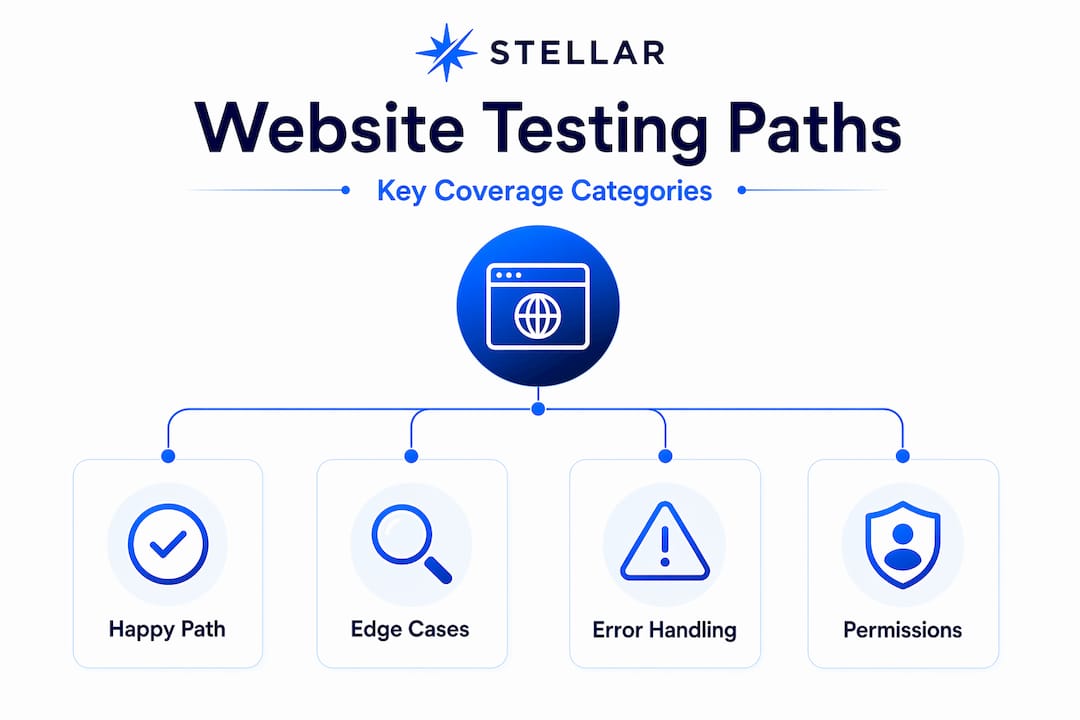
When writing functionality test cases, cover three categories for every workflow: the happy path (user completes the task as expected), key edge cases (unusual but valid inputs like maximum character limits or simultaneous sessions), and error cases (invalid input, network failure, unauthorized access). If a test case does not map to one of these three, question whether it needs to exist.
Coverage metrics based on workflow completion are more meaningful than line-of-code coverage for web application QA. A workflow that passes end-to-end tells you the user can do what they need to do. A code coverage percentage does not.
Manual exploratory testing fills the gaps automation leaves. Schedule regular exploratory sessions focused on recently changed areas or known edge case territories. Exploratory testing surfaces the unexpected, session-specific failures and UX issues that scripted tests are structurally unable to find. Check out elements worth including in your testing plans to make sure exploratory sessions have a defined scope.
Integrate testing early. When QA is involved at the story-writing stage, test scenarios can be defined before development begins. This alignment between testing website features and the development cycle prevents the expensive rework that comes from discovering design-level defects in a late-stage regression run.
Tools and automation strategies
Modern testing frameworks have removed much of the friction that made automated functional testing expensive to set up. Playwright and Cypress are the two dominant choices for web E2E automation, and both share a key design principle: they wait for application state rather than arbitrary time periods. This alone eliminates a large class of flaky failures.
A few practices that work well regardless of which framework you choose:
- Use page object models or component wrappers to abstract selectors and actions. When your UI changes, you update one file instead of twenty tests.
- Manage test data through API calls, not UI setup flows. Creating a user account through the signup form in a test setup block is slow and fragile. Creating it through a direct API call takes milliseconds and never fails due to UI quirks.
- Explore AI-powered and no-code testing tools for workflows that change frequently. Tools in this category reduce the maintenance cost of keeping scripts current with UI changes, making them practical for no-code automated testing scenarios where technical resources are limited.
- Monitor test suite health over time. Track pass rate trends, average run duration, and flake rate per test file. A suite that was ninety-five percent reliable six months ago and is now eighty percent reliable is telling you something important about your code quality or test maintenance discipline.
- Run critical workflow tests against production after each deployment, not just in staging. Staging environments drift from production in ways that matter, and a post-deploy smoke run on production workflows catches configuration and integration failures that staging cannot.
For ecommerce teams, testing checkout for conversions requires combining functional correctness checks with behavioral data. A checkout that technically works but loses users at the payment step is a functional testing gap and a conversion problem simultaneously.
My honest take on where most teams go wrong
In my experience, teams do not fail at website functionality testing because they lack tools. They fail because they measure the wrong things. I have seen QA organizations celebrate crossing five hundred automated tests while their most important user workflow, the one that drives eighty percent of revenue, had exactly two test cases, both of which only covered the happy path.
The uncomfortable truth about large functional test suites is that they become a liability if they are not maintained with the same discipline as production code. I have inherited codebases where flaky tests had been accumulating for a year. Developers had learned to re-run red tests until they went green. That is not a test suite. That is theater.
What I have found actually works is starting small and deliberate. Pick three workflows that matter most to your business. Build E2E tests for those three workflows with proper state-based waits, stable selectors, and isolated test data. Get those running cleanly in CI. Then expand. The teams I have seen succeed with functional automation are the ones who treat test code with the same rigor as application code, not the ones who try to automate everything at once.
The other insight worth sharing: stable selectors change your relationship with testing. When I started adding data-testid attributes systematically, the time I spent debugging selector failures dropped to near zero. It sounds trivial. The impact is not.
— Juan
How Gostellar supports your testing and optimization work

Strong website functionality testing tells you what works. Gostellar helps you discover what works better. Once your functional tests confirm that your workflows are running correctly, Gostellar's A/B testing platform lets you run controlled experiments on those same workflows to find the version that converts best. With a 5.4KB script that will not drag down your page performance, a no-code visual editor, and real-time analytics, you can run faster website tests without a dedicated engineering build. Start free with up to 25,000 monthly tracked users at Gostellar.
FAQ
What is website functionality testing?
Website functionality testing is the process of verifying that a site's features and workflows perform according to requirements. It includes checking UI behavior, API responses, form validation, user access controls, and end-to-end user journeys.
How do you write functionality test cases?
Test cases specify exact steps, inputs, and expected outcomes for a specific scenario. Start with a high-level test scenario, then break it into detailed cases covering the happy path, edge cases, and error conditions.
What causes flaky tests in functional test suites?
Flaky tests are most often caused by fixed time waits, shared or stateful test data, and brittle selectors tied to CSS classes or DOM structure. Replacing fixed waits with state-based waits and using data-testid attributes resolves the majority of flake issues.
How often should you run E2E functional tests?
Run a fast smoke suite covering critical workflows on every pull request, targeting a five to ten minute completion window. Run your full regression suite after merging to the main branch or overnight for comprehensive coverage without slowing down development.
What is the difference between functional and non-functional testing?
Functional testing verifies that a feature does what it is supposed to do. Non-functional testing measures how well it does it, covering attributes like load time, scalability, and security. Both are necessary, but functional testing is the foundation that must pass before non-functional testing produces meaningful results.
Recommended
Published: 5/20/2026