
YouTube Optimizely: Boost Video Performance in 2026
TL;DR:
- YouTube Optimizely uses native A/B testing to optimize video titles and thumbnails for watch time. It emphasizes testing with up to three variants over 10 to 14 days, focusing on watch time share rather than click-through rates. This data-driven approach is essential because long viewer retention drives YouTube’s algorithmic growth more than initial clicks.
YouTube Optimizely is the practice of applying data-driven experimentation principles, specifically YouTube's native Test & Compare A/B testing, to optimize video titles and thumbnails for maximum watch time and engagement. YouTube Studio now lets creators test up to 3 variants simultaneously, and the winning metric is no longer click-through rate. It is watch time share. That single shift changes everything about how creators and marketers should approach video performance on the platform. Tools like YouTube Studio, the Optimizely experimentation platform, and Sprout Social all inform how this discipline is evolving in 2026.
How YouTube's Test & Compare A/B testing works
YouTube's Test & Compare is the platform's native experimentation feature, and it received a major upgrade in early 2026. Understanding how it works is the foundation of any serious YouTube SEO strategy.
Here is how the process runs from start to finish:
- Set up your test in YouTube Studio. Open the video you want to test, navigate to the "Test & Compare" tab, and upload up to 3 thumbnail or title variants. YouTube distributes traffic equally across all variants automatically.
- Let the algorithm collect data. The test runs for 10–14 days to reach statistical significance. Cutting it short produces unreliable results.
- Watch time share determines the winner. YouTube expanded testing to 3 variants in early 2026 and switched the winning metric from CTR to watch time share. The variant that keeps viewers watching longest wins, even if it attracted fewer initial clicks.
- Apply the winning variant. Once YouTube identifies a winner, you can apply it permanently with one click. The losing variants are retired.
The watch time shift matters more than most creators realize. A thumbnail with a 6.8% CTR but 6:17 average watch time outperforms one with a 9% CTR but only 3:48 average watch time. Higher clicks mean nothing if viewers leave in under four minutes. YouTube's algorithm reads that early exit as a signal that the content disappointed the viewer, and it pulls back recommendations accordingly.
Pro Tip: Never end a test early because one variant looks like it is pulling ahead in the first three days. Early data skews toward novelty. Let the full 10–14 day window close before drawing conclusions.

Best practices for optimizing YouTube titles and thumbnails
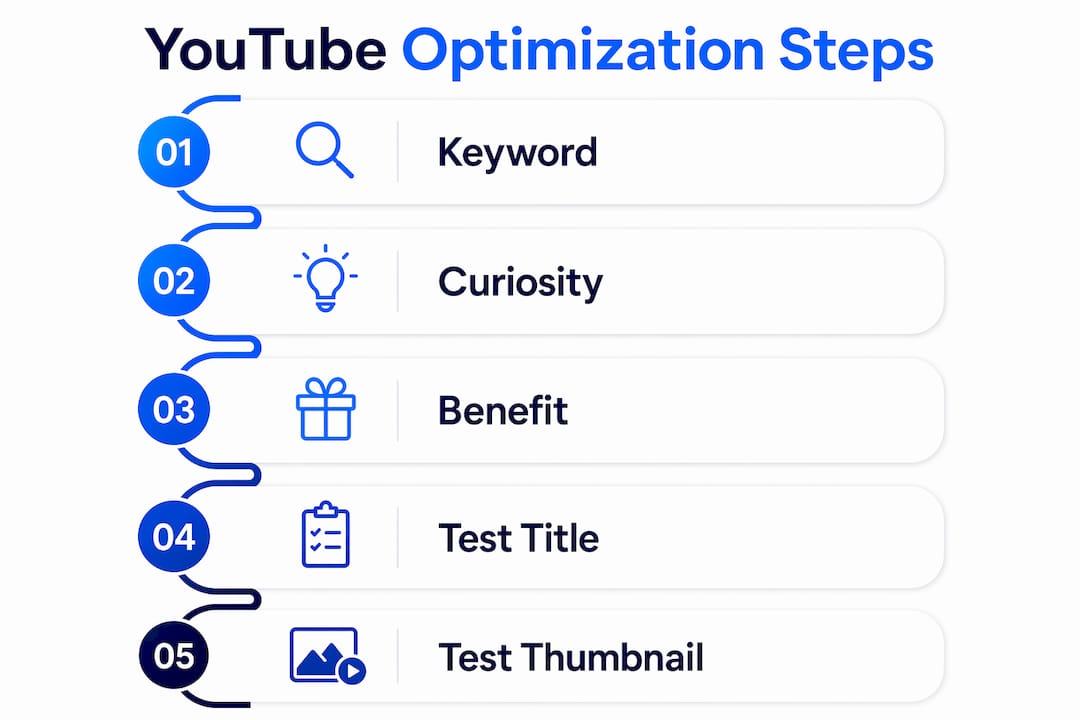
Titles and thumbnails are the two highest-leverage variables in YouTube video performance. Getting them right through systematic testing is the core of any YouTube Optimizely approach.
The following practices separate creators who grow consistently from those who plateau:
- Lead titles with keyword data, not instinct. Keyword-driven titles that align with video content can boost long-term search-driven views by 3–10x over intuition-based titles. Use tools like Google Trends, TubeBuddy, or VidIQ to validate demand before writing a single word.
- Invest in custom thumbnails. Custom thumbnails yield an 8–15x higher CTR than auto-generated images. That makes thumbnail design the single highest return-on-investment optimization available to any creator.
- Test titles before thumbnails. Sequential testing of titles first and then thumbnails yields cleaner data than simultaneous tests. When you change both at once, you cannot tell which variable drove the result.
- Align your title and thumbnail with the actual content. A misleading title generates clicks but destroys watch time. YouTube's algorithm penalizes that pattern by reducing recommendations. Honest, benefit-focused titles consistently outperform clickbait over a 90-day window.
- Run incremental tests, not wholesale redesigns. Change one element per test. Swap the background color on a thumbnail, or adjust the title's lead keyword. Small changes produce clean, interpretable data.
Pro Tip: When writing title variants for a test, write one keyword-forward version, one curiosity-gap version, and one benefit-stated version. That spread gives you meaningful data on what your specific audience responds to, rather than confirming what you already assumed.
YouTube functions as a viewer satisfaction engine, prioritizing retention and engagement over raw view counts. That means every optimization decision should trace back to one question: does this keep the viewer watching?
YouTube's native testing vs. manual and third-party methods
Not all testing approaches deliver equal results. Creators often start with manual title swaps before discovering the limitations of that method.
| Feature | Manual title or thumbnail swap | YouTube Test & Compare | Third-party tools |
|---|---|---|---|
| Traffic distribution | Uncontrolled, timing-dependent | Equal split, automated | Varies by tool |
| Winning metric | Subjective or CTR-based | Watch time share | CTR or custom goals |
| Statistical reliability | Low | High | Medium to high |
| Setup complexity | None | Low | Medium to high |
| Cost | Free | Free | Paid |
Manual testing fails for one core reason: timing. When you swap a thumbnail on a Monday morning versus a Saturday evening, the audience composition changes. You are not comparing variants. You are comparing audiences. Native testing automates equitable traffic splitting, removing that variable entirely.
Third-party experimentation platforms like Optimizely excel at website and landing page testing. They offer advanced segmentation, multivariate testing, and deep analytics. However, they do not integrate directly with YouTube's recommendation algorithm or watch time data. For YouTube-specific optimization, the native Test & Compare feature is the most accurate tool available. Third-party platforms remain useful for testing the landing pages and ad creatives that drive traffic to your YouTube channel, which is where a tool like Gostellar fits naturally into the workflow.
The practical recommendation is to use YouTube's native testing for all on-platform decisions and reserve external experimentation platforms for off-platform variables like paid campaign creatives and channel website pages.
Advanced strategies to maximize YouTube video performance
A/B testing titles and thumbnails is the entry point. Creators who build sustained channel authority go further. These tactics extend the YouTube Optimizely approach into retention engineering and content architecture.
- Engineer the first 7 seconds. A stakes-stated cold open in the first 7 seconds significantly improves average percentage viewed, which is a critical signal for algorithmic distribution. State the problem the video solves before the intro music plays. Viewers who know why they are watching stay longer.
- Use social listening to validate topics before filming. Real-time audience data validates video topics and titles against emergent search interest. Sprout Social and similar tools surface what your audience is actively discussing, not just what they searched for six months ago. That gap between historical keyword data and live conversation is where underserved topics live.
- Apply Viewer Journey Mapping to your structure. The Viewer Journey Mapping approach defines viewer problems and structures videos with keyword-rich chapters. Chapters improve discoverability because YouTube indexes chapter titles as searchable text. A 20-minute video with five well-named chapters effectively has five additional search entry points.
- Revive high-CTR but low-view older videos. Most creators ignore old content. Videos with strong CTR but mediocre view counts are underperforming for a fixable reason, usually a weak intro or a title that no longer matches current search behavior. Retitling, recutting the first 30 seconds, and adding keyword-rich chapters can revive that content without filming anything new.
- Think in total watch time, not just retention percentage. A 30-minute video with 30% retention can outperform a 5-minute video with 90% retention because total watch time delivered to the channel is higher. Longer content, when it earns its runtime, builds channel authority faster.
Pro Tip: Build a simple spreadsheet tracking each video's CTR, average view duration, and total watch time per month. After 90 days, patterns emerge that no single test reveals. You will see which content formats consistently earn retention and which ones spike on clicks but collapse on watch time.
Key takeaways
YouTube Optimizely works because watch time, not clicks, is the metric that drives algorithmic growth, and every optimization decision should be built around that single fact.
| Point | Details |
|---|---|
| Watch time beats CTR | A variant with lower clicks but longer viewing time wins YouTube's algorithm every time. |
| Custom thumbnails deliver the highest ROI | Custom images outperform auto-generated ones by 8–15x in click-through rate. |
| Test titles before thumbnails | Sequential testing isolates which variable drives performance, producing cleaner data. |
| Native testing beats manual swaps | YouTube's Test & Compare removes timing bias and measures the metric that actually matters. |
| Old videos are an untapped asset | High-CTR videos with low views respond well to retitling and intro recutting without new filming. |
The shift most creators still haven't made
The creators I see struggling most are not bad at making videos. They are optimizing for the wrong number. They celebrate a 9% CTR and wonder why the algorithm stops pushing their content after week two. The answer is always the same: watch time collapsed.
The shift from click-based to engagement-based optimization is not a minor update. It is a fundamental change in how YouTube decides who gets recommended. Clickbait titles backfire precisely because they generate clicks but yield low watch time, and algorithmic recommendations drop accordingly. I have watched channels with genuinely good content stall for months because their thumbnails overpromised and their intros underdelivered.
My honest recommendation is to start with YouTube's native Test & Compare before reaching for any external tool. It is free, it measures the right metric, and it removes the guesswork of manual swaps. Once you understand what your audience actually watches versus what they click, you can layer in more advanced tactics like Viewer Journey Mapping and social listening validation. The A/B testing best practices that apply to landing pages translate directly to YouTube packaging decisions. The discipline is the same. The platform is different.
Content quality and experimentation are not in competition. Testing tells you how to package the work. The work still has to be worth watching.
— Juan
A/B testing beyond YouTube: where Gostellar fits in
Optimizing your YouTube channel is one piece of a larger growth system. The same experimentation logic that improves your thumbnails and titles applies directly to the landing pages, ad creatives, and campaign pages that drive viewers to your channel.

Gostellar is built for exactly that workflow. It is a no-code A/B testing platform with a lightweight 5.4KB script, a visual editor that requires no developer involvement, and real-time analytics that show you what is working before you commit to a change. Creators and marketers running paid campaigns can test landing page variants, dynamic keyword insertion, and goal tracking in the same systematic way they test YouTube thumbnails. Gostellar's free plan covers businesses with under 25,000 monthly tracked users. If you are ready to bring the same data-driven discipline to your off-platform pages, start testing with Gostellar today.
FAQ
What is YouTube Optimizely?
YouTube Optimizely is the practice of using YouTube's native Test & Compare A/B testing alongside data-driven experimentation principles to optimize video titles and thumbnails for watch time and engagement. It applies structured experimentation methodology directly to YouTube video packaging decisions.
How long should a YouTube A/B test run?
A YouTube Test & Compare experiment should run for 10–14 days to reach statistical significance. Ending a test early produces unreliable data because early traffic skews toward novelty rather than genuine viewer preference.
Does CTR or watch time matter more on YouTube?
Watch time matters more. YouTube's algorithm prioritizes the variant that keeps viewers watching longest, even if it has a lower click-through rate. A thumbnail with a 6.8% CTR and strong average view duration outperforms a 9% CTR thumbnail with poor retention.
Should I test titles and thumbnails at the same time?
Sequential testing produces cleaner results. Test your title first, then test your thumbnail. Running both simultaneously makes it impossible to identify which variable drove the performance change.
Can I use Optimizely directly for YouTube testing?
Optimizely and similar external experimentation platforms do not integrate directly with YouTube's watch time data or recommendation algorithm. YouTube's native Test & Compare feature is the most accurate tool for on-platform optimization. External platforms like Optimizely are better suited for testing landing pages and ad creatives that support your YouTube channel off-platform.
Recommended
Published: 6/23/2026